

Nobody waits for a slow website. Not your potential customers, not search engines, and certainly not the algorithms deciding where your pages rank. A delay of just one second can reduce conversions by 7%, according to research by Akamai—and that’s a number most businesses can’t afford to ignore.
Page speed optimization is the process of improving how quickly a website loads for its visitors. Done well, it reduces bounce rates, improves search rankings, and creates a smoother user experience across all devices. Done poorly—or not at all—it quietly erodes the performance of every other marketing investment you’re making.
This guide covers the key principles and best practices behind page speed optimization, from diagnosing the root causes of slow load times to implementing technical fixes that deliver measurable results. Whether you’re working with a developer or making changes yourself, the strategies here will help you build a faster, more competitive website.
Why Page Speed Matters More Than Most People Realize
 Page speed isn’t just a technical metric—it’s a business metric. Google officially confirmed page speed as a ranking factor for desktop searches in 2010, and extended that to mobile with the Speed Update in 2018. Since then, Core Web Vitals have become a key part of Google’s page experience signals, placing even more weight on how fast and stable your pages feel to real users.
Beyond rankings, speed directly affects behavior. According to Google, 53% of mobile users abandon a page that takes longer than three seconds to load. Pair this with funnel analysis data showing that drop-off rates spike at the very first step of a customer journey, and the connection becomes clear: slow pages don’t just frustrate users; they kill conversions before they even begin.
Website analytics tools like Google Analytics 4 and PageSpeed Insights can help you quantify exactly how much page speed is affecting your traffic, engagement, and revenue. Heatmap analysis tools like Hotjar add another layer, revealing where users stop scrolling or clicking—patterns that often correlate with slow-loading elements on a page.
How to Measure Your Current Page Speed Performance
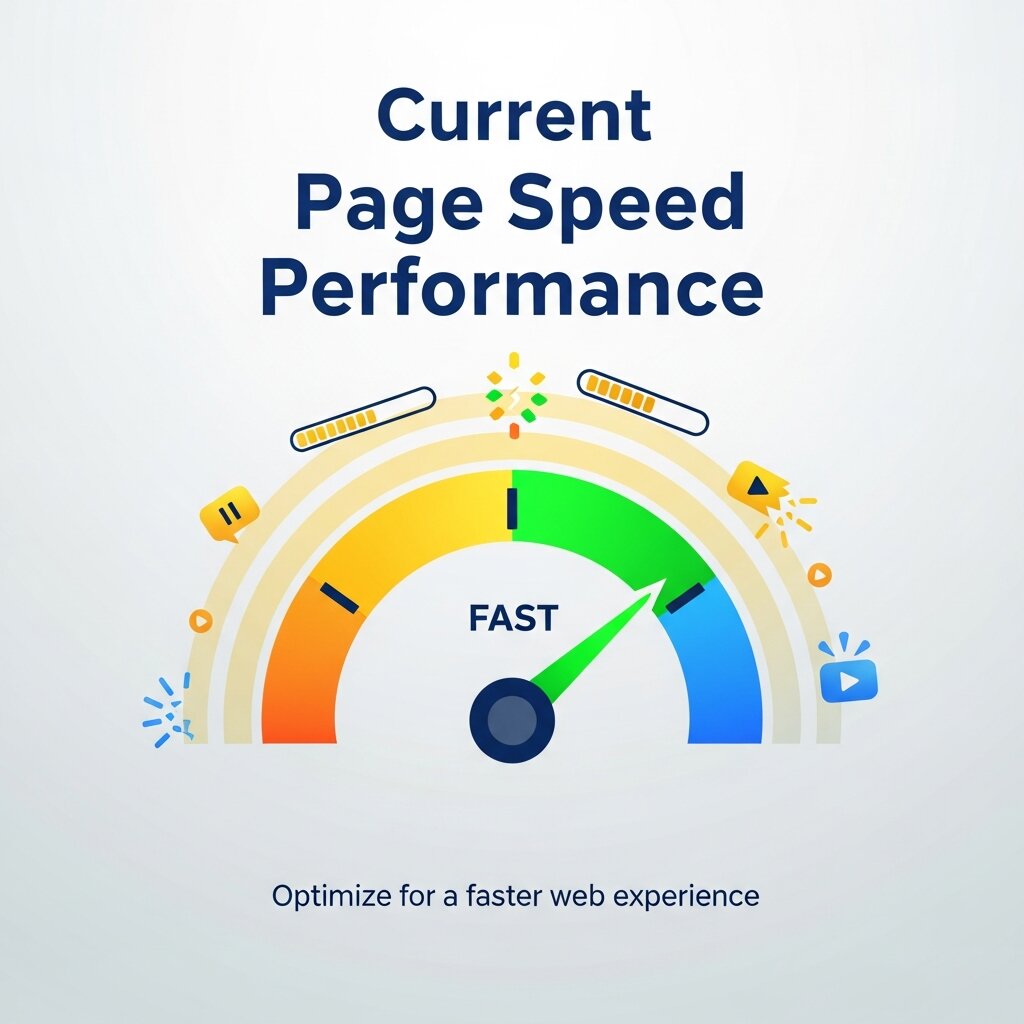 Before optimizing anything, you need a baseline. Several free tools make this straightforward:
- Google PageSpeed Insights: Scores your page from 0–100 and provides specific recommendations based on real-world data.
- GTmetrix: Breaks down load time by individual elements, giving you a waterfall view of exactly what’s slowing things down.
- WebPageTest: Lets you simulate load times from different geographic locations and devices.
- Chrome DevTools: Ideal for developers who want granular performance data directly in the browser.
Focus on three Core Web Vitals metrics when reviewing your results:
- Largest Contentful Paint (LCP): How long it takes for the main content element to load. Google’s threshold for “good” is under 2.5 seconds.
- Interaction to Next Paint (INP): How quickly your page responds to user interactions. Aim for under 200 milliseconds.
- Cumulative Layout Shift (CLS): How much the page layout shifts unexpectedly while loading. A score below 0.1 is considered good.
These three metrics form the foundation of Google’s page experience evaluation, and improving them should be your primary focus.
The Most Impactful Page Speed Optimization Techniques
Optimize and Compress Your Images
Images are consistently the largest contributors to page weight. An uncompressed hero image can easily exceed 3MB—enough to tank your LCP score on its own. The fix involves three steps: compressing file sizes, choosing the right format, and serving images at the correct dimensions.
Use tools like Squoosh, TinyPNG, or ImageOptim to reduce file sizes without visible quality loss. For format, WebP offers significantly better compression than JPEG or PNG for most use cases, and is now supported by all major browsers. AVIF is emerging as an even more efficient alternative for modern browsers.
Implement lazy loading for images that appear below the fold. This ensures that images only load when a user scrolls toward them, reducing the initial page load significantly.
Leverage Browser Caching
When a visitor loads your website, their browser downloads resources like images, stylesheets, and scripts. Caching tells the browser to store these files locally, so returning visitors don’t have to download them again.
Set cache expiration headers for static assets—generally, anything that doesn’t change frequently (logos, fonts, CSS files) should be cached for at least one year. For CMS platforms like WordPress, caching plugins such as WP Rocket or W3 Total Cache handle this automatically.
Minify CSS, JavaScript, and HTML
Every unnecessary character in your code—spaces, line breaks, comments—adds to the file size the browser must process. Minification strips these out without changing how the code functions.
Tools like UglifyJS (for JavaScript), CSSNano (for CSS), and HTMLMinifier automate this process. If you’re using a build tool like Webpack or Vite, minification is typically built in. For WordPress users, optimization plugins like NitroPack or WP Rocket can handle this with minimal configuration.
Eliminate Render-Blocking Resources
When a browser encounters a CSS or JavaScript file while parsing your HTML, it pauses rendering until that file is fully downloaded and processed. These are called render-blocking resources, and they’re one of the most common culprits behind poor LCP scores.
The solution: move non-critical JavaScript to the bottom of the HTML document, use the defer or async attributes on script tags, and load non-critical CSS asynchronously. Google’s PageSpeed Insights flags render-blocking resources directly, making them easy to identify.
Use a Content Delivery Network (CDN)
A CDN stores copies of your static assets across servers in multiple geographic locations. When a user requests your page, assets are served from the server closest to them—dramatically reducing latency for international visitors.
Popular CDN providers include Cloudflare (which has a free tier), Fastly, and Amazon CloudFront. For most websites, implementing a CDN delivers an immediate and noticeable improvement in load times, particularly for users outside your primary market.
Reduce Server Response Time (TTFB)
Time to First Byte (TTFB) measures how long it takes for a browser to receive the first byte of data from the server after making a request. A slow TTFB—anything above 600 milliseconds—suggests a problem at the server level, not just the front end.
Common causes include slow hosting, unoptimized database queries, and lack of server-side caching. Upgrading to a faster hosting environment (VPS or dedicated hosting, rather than shared hosting) makes a significant difference. For dynamic sites built on PHP or Python, server-side caching solutions like Redis or Memcached dramatically reduce database load and speed up response times.
Optimize Web Fonts
Custom fonts add personality to a website, but they’re often loaded inefficiently. Loading a full font family—including weights you’re not using—adds unnecessary overhead.
Use the font-display: swap CSS property to ensure text remains visible during font loading, preventing a flash of invisible text (FOIT). Self-host fonts where possible rather than relying on external services, and use the preload resource hint for critical fonts to give the browser a head start.
How Funnel Analysis and Heatmap Data Can Guide Your Optimization Priorities
 Not all pages are created equal. Funnel analysis helps you identify where users are dropping off in your conversion flow, pinpointing which pages deserve optimization attention first. If your funnel analysis shows a significant drop-off on your pricing page, for example, that page becomes the logical starting point—not your blog archive.
Heatmap analysis adds a visual dimension to this data. By overlaying click, scroll, and movement patterns onto your actual pages, tools like Hotjar or Microsoft Clarity reveal how users interact with slow-loading content. A heatmap showing users scrolling past a section that takes too long to appear is a strong signal that the element responsible needs to be optimized or restructured.
Together, funnel analysis and heatmap analysis transform page speed optimization from a technical exercise into a strategically targeted one. Website analytics platforms like GA4 can layer in engagement data—session duration, bounce rate by page, and conversion paths—to validate which fixes are having the biggest impact after implementation.
How to Prioritize Page Speed Improvements for Maximum ROI
With a long list of potential optimizations, knowing where to start matters. Here’s a practical prioritization framework:
- Fix what Google flags first: PageSpeed Insights and Core Web Vitals reports highlight issues that directly affect rankings. Address these before anything else.
- Target high-traffic, high-intent pages: Your homepage, product pages, and landing pages carry the most commercial weight. Optimize these before internal blog posts or secondary pages.
- Focus on mobile: Google uses mobile-first indexing, meaning the mobile version of your site is what gets ranked. Test and optimize for mobile performance as a baseline, not an afterthought.
- Measure before and after: Run benchmark tests before any change and again after to isolate what’s actually making a difference. This prevents a common mistake—making multiple changes at once and not knowing which one moved the needle.
Frequently Asked Questions About Page Speed Optimization
1. What is page speed optimization?
Page speed optimization is the process of improving a website’s loading speed and overall performance. It involves optimizing images, code, server response times, caching, fonts, scripts, and other elements that affect how quickly pages load and respond.
2. Why is page speed important for SEO?
Page speed affects user experience and is part of Google’s page experience signals. Faster websites can provide better engagement, lower abandonment rates, and stronger performance in search, particularly when they deliver good Core Web Vitals results.
3. What is a good website loading speed?
A good website should load its main content quickly, especially on mobile devices. For Core Web Vitals, Google recommends an LCP of 2.5 seconds or less, an INP below 200 milliseconds, and a CLS score below 0.1.
4. How can I check my website’s page speed?
You can test page speed using tools such as Google PageSpeed Insights, GTmetrix, WebPageTest, and Chrome DevTools. These tools identify performance problems and provide recommendations for improving loading speed and Core Web Vitals.
5. Do images affect website loading speed?
Yes. Large or improperly optimized images can significantly increase page weight and slow down loading. Compressing images, using modern formats such as WebP or AVIF, selecting appropriate dimensions, and enabling lazy loading can improve performance.
6. Does website hosting affect page speed?
Yes. Slow or overloaded hosting can increase server response time and negatively affect page performance. Faster hosting, server-side caching, optimized databases, and suitable infrastructure can help reduce TTFB and improve overall loading speed.
7. Can a CDN make my website faster?
A Content Delivery Network can improve loading times by serving static files from geographically distributed servers. This reduces the distance data needs to travel and can be especially beneficial for websites serving visitors from multiple countries or regions.
8. How does page speed affect conversions?
Slow pages can cause visitors to abandon a website before completing important actions. Improving page speed can create a smoother browsing experience, reduce friction, and potentially increase engagement, leads, purchases, and other conversions.
9. How often should I optimize my website’s page speed?
Page speed should be monitored continuously rather than treated as a one-time project. Regular testing is recommended whenever you add plugins, scripts, images, new functionality, or major design changes that could affect website performance.
10. Can page speed optimization improve Core Web Vitals?
Yes. Techniques such as optimizing images, reducing render-blocking resources, improving server response times, minimizing layout shifts, and optimizing JavaScript can directly improve LCP, INP, and CLS performance.
Making Page Speed a Habit, Not a One-Time Fix
Page speed optimization doesn’t end with a single audit. Websites grow—new plugins get added, images go uncompressed, third-party scripts accumulate. Performance naturally degrades over time if no one is watching it.
Set up automated monitoring using tools like Google Search Console or SpeedCurve to track Core Web Vitals on an ongoing basis. Establish a performance budget—maximum file sizes, load times, and script counts—that your team commits to maintaining. Incorporate speed checks into your content publishing workflow so that new pages meet performance standards before going live. Speed is infrastructure. The faster your website loads, the better the experience for every visitor who lands on it—and the more likely they are to stay, convert, and return.