
You’ve poured time and money into driving traffic to your Shopify store. Visitors are landing on your pages, browsing your products, maybe even adding a few items to their carts. And then? They leave. No purchase, no email signup, nothing.
This is the silent killer of online stores—and it’s exactly what conversion rate optimization fixes. Instead of spending more to attract new visitors, conversion rate optimization (CRO) helps you turn the traffic you already have into paying customers.
In this guide, we’ll break down everything you need to know about conversion rate optimization for Shopify. You’ll learn how to calculate your conversion rate, run a proper audit, test changes that actually move the needle, and choose the right tools for the job. By the end, you’ll have a clear roadmap to grow revenue without spending an extra cent on ads.
What is Conversion Rate Optimization on Shopify?
Conversion rate optimization is the process of improving your store so that a higher percentage of visitors complete a desired action. Usually, that action is making a purchase. But it can also mean signing up for your newsletter, creating an account, or adding a product to a wishlist.
Your conversion rate is simple math. Take the number of conversions, divide it by the total number of visitors, then multiply by 100. So if 1,000 people visit your store in a month and 25 of them buy something, your conversion rate is 2.5%.
For most Shopify stores, the average conversion rate sits somewhere between 1% and 3%. Anything above 3% is considered strong. The goal of conversion rate optimization is to push that number higher—and even small gains can have a big impact. Lifting your rate from 1.5% to 2.5% means a 67% jump in sales, all from the same amount of traffic.
Why Conversion Rate Optimization Matters for Your Store
 Paid advertising gets more expensive every year. As ad costs climb, relying on traffic alone to grow your revenue becomes a losing game. Conversion rate optimization flips the equation. You squeeze more value out of every visitor, which lowers your cost per acquisition and boosts your profit margins.
Here’s why CRO deserves a spot at the top of your priority list:
- It improves ROI on existing traffic. You’ve already paid to get visitors to your store. Helping more of them convert means you get more return from that same spend.
- It increases customer lifetime value. A smoother buying experience encourages repeat purchases and builds loyalty over time.
- It reduces wasted ad spend. When your store converts well, every dollar you put into marketing works harder.
- It compounds. Unlike a one-off ad campaign, optimization improvements stick around and keep paying off month after month.
Think of it this way—doubling your conversion rate has the same effect on revenue as doubling your traffic. But the first option is almost always cheaper and faster.
How to Run a Conversion Rate Optimization Audit
Before you change anything, you need to understand where your store is losing customers. A conversion rate optimization audit is a systematic review of your store’s performance, designed to spot the leaks in your funnel.
Review Your Analytics Data
Start with the numbers. Open up Google Analytics and your Shopify reports, then look at the full customer journey. Where do people drop off? Common problem spots include the product page, the cart, and the checkout.
Pay close attention to these metrics:
- Bounce rate: The percentage of visitors who leave after viewing just one page.
- Cart abandonment rate: How many shoppers add items but never complete checkout. The average hovers around 70%.
- Exit pages: The specific pages where people most often leave your site.
- Average session duration: How long visitors stick around.
Map Your Conversion Funnel
Your funnel is the path a visitor takes from arrival to purchase. A typical Shopify funnel looks like this: homepage or landing page → collection page → product page → cart → checkout → confirmation.
Track how many people move from one stage to the next. If you see a massive drop between the product page and the cart, that tells you something on your product pages is holding shoppers back. Maybe the images are weak, the description is thin, or the price feels too high without justification.
Check Your Mobile Experience
More than half of all e-commerce traffic now comes from mobile devices. If your store looks great on desktop but clunky on a phone, you’re leaking sales. During your audit, browse your own store on your phone. Are buttons easy to tap? Does the checkout feel smooth? Do images load quickly?
Gather Qualitative Feedback
Numbers tell you what’s happening, but not why. To fill in the gaps, use tools like heatmaps and session recordings to watch how real people interact with your store. You can also run quick surveys or ask customers directly about their experience. This kind of feedback often reveals friction points that raw data misses.
Proven Conversion Rate Optimization Strategies for Shopify
 Once your audit is complete, it’s time to act. Here are the strategies that consistently deliver results for Shopify stores.
Optimize Your Product Pages
Your product page is where the buying decision happens. Make it count.
- Use high-quality images from multiple angles, plus video if you can.
- Write descriptions that focus on benefits, not just features.
- Display customer reviews and ratings prominently—social proof builds trust fast.
- Make your “Add to Cart” button bold and impossible to miss.
- Be upfront about shipping costs and delivery times.
Streamline Your Checkout
A complicated checkout is one of the biggest reasons shoppers abandon their carts. Keep it short and frictionless.
- Offer guest checkout so people don’t have to create an account.
- Reduce the number of form fields to the bare essentials.
- Display trust badges and secure payment icons.
- Provide multiple payment options, including Shop Pay, PayPal, and Apple Pay.
- Show a progress indicator so shoppers know how close they are to finishing.
Build Trust and Credibility
Online shoppers are cautious. Anything that reduces uncertainty will help your conversion rate.
- Display clear return and refund policies.
- Add customer testimonials and user-generated content.
- Show security seals and SSL certificates.
- Include contact details and a responsive support option like live chat.
Use Urgency and Scarcity (Carefully)
Limited-time offers and low-stock alerts can nudge hesitant shoppers toward a decision. A countdown timer on a flash sale or a “Only 3 left in stock” message creates a sense of urgency. Just be honest—fake scarcity erodes trust and can backfire.
Recover Abandoned Carts
With cart abandonment averaging around 70%, recovery campaigns are pure opportunity. Set up automated email sequences that remind shoppers about the items they left behind. A gentle nudge, sometimes paired with a small discount, can win back a meaningful chunk of lost sales.
Personalize the Shopping Experience
Show returning visitors products related to their browsing history. Recommend complementary items at checkout. Personalization makes shoppers feel understood, and it increases average order value at the same time.
The Power of A/B Testing
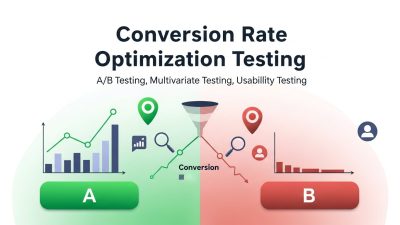
You should never assume you know what works. The only way to know for sure is to test. A/B testing, also called split testing, means showing two versions of a page to different groups of visitors and measuring which one performs better.
Here’s how to run a clean test:
- Form a hypothesis. For example, “Adding customer reviews to the product page will increase conversions.”
- Change one element at a time. If you change five things at once, you won’t know which change made the difference.
- Run the test long enough. Wait until you have enough data to reach statistical significance—rushing leads to false conclusions.
- Act on the results. Roll out the winning version, then move on to your next test.
Common elements worth testing include headlines, button colors and text, product images, pricing displays, and page layouts. CRO is a continuous cycle, not a one-time fix. Keep testing, keep learning, and keep improving.
What Conversion Rate Optimization Case Studies Teach Us
Looking at conversion rate optimization case studies is one of the best ways to learn what actually works. Across countless real-world examples, a few patterns show up again and again.
First, small changes can produce outsized results. Something as simple as rewording a call-to-action button or repositioning a trust badge has been shown to lift conversions noticeably. Second, reducing friction wins. Stores that simplify their checkout or remove unnecessary steps consistently see fewer abandoned carts. Third, social proof is a powerhouse. Adding reviews, ratings, and testimonials almost always moves the needle in the right direction.
The takeaway? You don’t need a complete redesign to see gains. Often, the highest-impact wins come from fixing small frustrations that quietly cost you sales every day.
Choosing the Right Conversion Rate Optimization Software
The right tools make optimization faster and smarter. Conversion rate optimization software falls into a few main categories, and most stores benefit from combining several.
- Analytics tools show you what’s happening on your site. Google Analytics is the foundation, giving you data on traffic, behavior, and conversion paths.
- Heatmap and session recording tools reveal how visitors actually interact with your pages, exposing friction you’d never spot in raw data.
- A/B testing platforms let you run experiments and measure results with confidence.
- Cart recovery and email tools automate the process of winning back shoppers who didn’t complete their purchase.
- Personalization engines tailor the shopping experience to each visitor.
When choosing software, start with your biggest problem. If cart abandonment is your weak spot, prioritize a recovery tool. If you’re not sure where shoppers struggle, begin with heatmaps and analytics. The Shopify App Store offers plenty of options across every category, so you can build a toolkit that fits your needs and budget.
Improve Site Speed for Better Conversions
 Website speed has a direct impact on conversion rates. Modern shoppers expect pages to load quickly, and even a delay of a few seconds can cause visitors to abandon your store. Slow-loading product pages, large image files, and excessive apps can create friction that drives potential customers away before they complete a purchase. Shopify store owners should regularly test site performance, compress images, remove unnecessary scripts, and use lightweight themes whenever possible. Faster websites not only improve the shopping experience but also contribute to better search engine rankings. By prioritizing speed optimization, you can reduce bounce rates, keep visitors engaged longer, and create a smoother path from browsing to checkout.
Optimize Navigation and Store Structure
Customers should be able to find products quickly and easily. A confusing navigation menu or poorly organized catalog can frustrate visitors and lead to lost sales. Effective store navigation starts with clear product categories, logical menu structures, and a powerful search function that helps shoppers locate items without effort. Collection pages should be easy to browse, and filters should allow customers to narrow down options based on their preferences. The easier it is for users to move through your store, the more likely they are to continue their journey toward a purchase. Streamlined navigation reduces friction and creates a more enjoyable shopping experience overall.
Leverage Customer Loyalty and Retention Strategies
While acquiring new customers is important, retaining existing customers is often more profitable. Conversion rate optimization should extend beyond the first purchase and focus on encouraging repeat business. Loyalty programs, exclusive discounts for returning customers, personalized product recommendations, and post-purchase follow-ups can all increase customer retention. Returning shoppers are typically more familiar with your brand and require less persuasion to make additional purchases. By creating a positive customer experience and rewarding loyalty, Shopify store owners can improve lifetime customer value while boosting overall revenue. Strong retention strategies complement CRO efforts by turning one-time buyers into long-term brand advocates.
Frequently Asked Questions
1. What is conversion rate optimization for Shopify?
Conversion rate optimization (CRO) is the process of improving your Shopify store to encourage more visitors to take desired actions, such as making purchases, signing up for emails, or adding products to their carts. The goal is to increase sales without increasing traffic.
2. What is a good Shopify conversion rate?
A typical Shopify conversion rate ranges from 1% to 3%. Stores that consistently achieve rates above 3% are generally considered strong performers. However, ideal conversion rates vary depending on industry, product type, audience, and traffic sources.
3. How can I improve my Shopify conversion rate?
You can improve conversions by optimizing product pages, simplifying checkout, increasing site speed, adding customer reviews, improving mobile usability, and testing different page elements. Small improvements across multiple areas often create significant increases in sales and revenue.
4. Why do customers abandon their shopping carts?
Customers abandon carts for many reasons, including unexpected shipping costs, complicated checkout processes, slow websites, limited payment options, and lack of trust. Identifying and removing these barriers can significantly reduce cart abandonment rates.
5. How important is mobile optimization for Shopify stores?
Mobile optimization is critical because a large percentage of eCommerce traffic comes from smartphones. A fast, responsive, and user-friendly mobile experience helps reduce bounce rates, improve engagement, and increase the likelihood of completed purchases.
6. What role does A/B testing play in conversion optimization?
A/B testing helps store owners compare different versions of pages, headlines, buttons, or layouts to determine which performs better. It removes guesswork from decision-making and allows businesses to make data-driven improvements that increase conversions.
7. How can customer reviews improve conversion rates?
Customer reviews provide social proof and help build trust with potential buyers. When shoppers see positive experiences from real customers, they feel more confident about purchasing, which can lead to higher conversion rates and reduced hesitation.
8. What tools are useful for Shopify conversion rate optimization?
Popular CRO tools include Google Analytics, heatmap software, session recording tools, A/B testing platforms, email recovery solutions, and personalization apps. These tools help identify issues, understand customer behavior, and improve store performance.
9. How long does it take to see results from CRO efforts?
Results depend on traffic volume and the changes implemented. Some improvements, such as checkout optimization or faster page speed, may show results within weeks, while larger testing and optimization strategies can take several months.
10. Is conversion rate optimization better than increasing traffic?
Both strategies are valuable, but CRO often delivers faster and more cost-effective results. By converting more existing visitors into customers, businesses can increase revenue without spending additional money on advertising or traffic acquisition campaigns.
Your Next Steps Toward Higher Conversions
Conversion rate optimization isn’t a magic switch you flip once. It’s an ongoing process of testing, learning, and refining. The stores that win are the ones that treat optimization as a habit, not a project.
Start small. Run a conversion rate optimization audit to find your biggest leaks. Pick one or two high-impact changes—maybe streamlining your checkout or adding reviews to your product pages—and test them properly. Measure the results, apply what you learn, and move on to the next experiment.
Do this consistently, and the gains will stack up. You’ll turn more of your existing traffic into customers, lower your cost per sale, and build a store that grows stronger every month. The traffic is already coming. Now it’s time to make it count.