

In today’s digital landscape, every click and scroll shapes user perceptions, and no factor looms larger than page speed optimization. Visitors expect content to render in a split second, and when load times lag, engagement plummets. Currently, businesses operate under the harsh reality that even tiny delays can translate into significant revenue loss and brand erosion. This year (2026), as competition intensifies, refining website performance isn’t a mere technical afterthought—it’s central to delivering seamless customer experiences that convert.
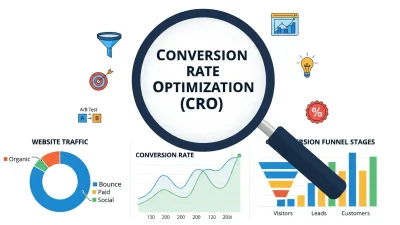
Throughout this article, we’ll walk through proven strategies to accelerate your site, explore the critical metrics to track, and unveil both quick wins and enterprise-grade approaches. You’ll also discover how to measure the impact of improvements on conversion rate optimization (CRO) using controlled A/B tests and real-world case studies. By the end, you’ll be equipped to transform page speed optimization from a daunting challenge into your most powerful growth lever. Let’s dive in and learn how to craft lightning-fast pages that delight users and drive measurable business results.
Understanding the Influence of Load Times on User Behavior
When visitors arrive at a website, initial impressions form in milliseconds. Rapid loading not only enhances perceived credibility but also keeps users on the path from interest to action. Conversely, sluggish pages frustrate prospective customers and encourage them to abandon carts, leave feedback forms incomplete, or navigate away altogether. In fact, research indicates that each additional second of waiting can reduce conversion potential by roughly 7%. With mobile traffic representing more than half of total web visits, ensuring near-instant load times on smartphones has become imperative.
Fast load speeds yield a cascade of benefits. Bounce rates drop as visitors explore multiple pages, engagement metrics such as time-on-site climb, and average pages per session increase. Search engines have taken note: Google’s algorithms factor in Core Web Vitals to prioritize swiftly-rendered pages in rankings. As a result, improving speed can boost organic visibility while retaining user interest.
Yet the stakes extend beyond metrics. In today’s fast-paced marketplace, brands that deliver instant gratification cultivate loyalty, encourage social sharing, and generate repeat visits. A survey by a leading analytics firm found that sites loading within two seconds experience roughly 15% higher user engagement. Conversely, over half of mobile users will leave a page that takes more than three seconds to appear. By recognizing how crucial milliseconds are to user satisfaction, organizations can align technical efforts with marketing objectives and ultimately elevate conversion rate optimization.
Core Metrics Every Marketer Should Monitor

Before accelerating your site, you need to measure performance precisely. Core Web Vitals provide an industry-standard framework to evaluate perceived load speed, interactivity, and visual stability. Here are the key indicators to monitor:
- Largest Contentful Paint (LCP): Gauges the time it takes for the biggest content element—often a hero image or headline—to become visible. Aim for under 2.5 seconds to create an impression of swift delivery.
- First Input Delay (FID): Measures the latency between a user’s first interaction (like clicking a button) and the browser’s response. Keeping FID below 100 milliseconds ensures that your pages feel responsive and interactive.
- Cumulative Layout Shift (CLS): Evaluates unexpected shifts in page layout. A score under 0.1 preserves visual stability and prevents disruptive jumps that can lead to accidental clicks.
- Time to Interactive (TTI): Indicates how long it takes for the page to become fully usable, with all scripts loaded and ready. A fast TTI minimizes user frustration by unlocking features without delay.
Tools like Google PageSpeed Insights and Lighthouse deliver detailed audits of these metrics, revealing opportunities for improvement. For implementers seeking deeper technical guidance on resource hints, the W3C’s specifications offer invaluable insights: https://www.w3.org/TR/resource-hints/. Additionally, the Mozilla Developer Network provides comprehensive documentation on performance best practices: https://developer.mozilla.org/en-US/docs/Web/Performance. By systematically tracking these indicators, you’ll gain clarity on where to focus optimization efforts and how enhancements influence overall conversion outcomes.
Easy Wins: Quick Tactics to Accelerate Your Site
Not every improvement demands major architectural changes. A series of targeted tactics can deliver immediate gains in page speed optimization and conversion performance:
Implement Lazy Loading
Deferring off-screen images and iframes until they enter the viewport slashes initial payload. By loading only what’s visible, you reduce LCP, delivering critical content faster and keeping users engaged.
Optimize Images and Media
Adopt next-generation formats such as WebP or AVIF for photographs, and leverage SVG for icons or illustrations. Combine this with responsive srcset attributes to serve appropriately sized visuals based on device characteristics. Compress assets with tools that employ adaptive algorithms, ensuring crisp quality at minimal file sizes.
Enable Text Compression
Gzip and Brotli compress HTML, CSS, and JavaScript files on the fly, shrinking transfer sizes by up to 70%. With smaller payloads, LCP and TTI improve dramatically, especially on bandwidth-constrained mobile connections.
Leverage Browser Caching
Set long-lived expiration headers for static resources so repeat visitors bypass redundant downloads. Employ versioning (cache busting) to deliver fresh content when updates occur, without sacrificing performance for returning users.
Minify and Bundle Assets
Strip comments, whitespace, and unused code from stylesheets and scripts. When feasible, bundle multiple files into a single request to reduce HTTP overhead and minimize TTI.
Use a Content Delivery Network (CDN)
Distribute assets across global edge servers so users fetch resources from the nearest location. This approach cuts round-trip times and delivers critical files more swiftly, boosting overall user satisfaction.
Advanced Approaches for Enterprise-Level Performance

Once you’ve captured low-hanging fruit, scaling performance for high-traffic websites often requires strategic investments in modern protocols and architectures:
Adopt HTTP/2 and HTTP/3 Protocols
Migrating to HTTP/2 unlocks multiplexed requests, header compression, and prioritization, reducing latency under concurrent loads. HTTP/3 builds on these gains with improved encryption and transport-layer optimizations over QUIC, delivering sub-millisecond improvements for global audiences.
Preconnect, Prefetch, and Prerender
Use <link rel="preconnect"> to set up early connections to critical domains, prefetch to retrieve future resources during idle time, and prerender to load full pages in advance of anticipated navigation. These resource hints drastically cut down user-perceived wait times.
Headless CMS and JAMstack Deployment
Decoupling content management from presentation enables static site generation at build time. By serving pre-rendered pages via a CDN, you eliminate server-rendering delays, ensuring near-instant delivery regardless of traffic spikes.
Edge and Server-Side Caching
Caching full HTML responses or API payloads at the server and edge layers provides rapid retrieval under heavy loads. Combining this with smart invalidation strategies ensures consistency while maximizing cache hit rates.
Measuring Success: A/B Testing and Insights
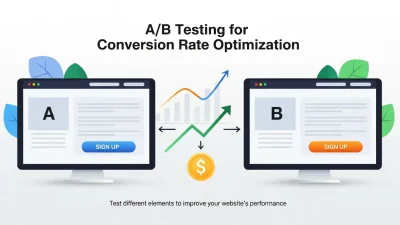
To quantify how page speed optimization influences CRO, run controlled experiments comparing the original experience against your optimized variant. Segment visitors randomly and evaluate these key performance indicators:
- Conversion Rate: Track actions like add-to-cart, account creation, or form submissions to quantify revenue impact.
- Bounce Rate and Exit Pages: Identify pages where abandonments drop due to faster load times.
- Average Session Duration: Longer sessions often indicate deeper engagement driven by improved performance.
- Pages per Session: More page views signal reduced friction and higher user interest.
Combine behavioral data with Core Web Vitals scores from Lighthouse or Google PageSpeed Insights to build a robust business case for continued investment. Presenting a clear correlation between milliseconds saved and revenue gained resonates with stakeholders and secures ongoing support for performance initiatives.
FAQ
What are Core Web Vitals?
Core Web Vitals are a set of standardized metrics—Largest Contentful Paint (LCP), First Input Delay (FID), and Cumulative Layout Shift (CLS)—that gauge real-world user experience on loading performance, interactivity, and visual stability.
How can I implement lazy loading on my site?
You can enable lazy loading by adding the loading=”lazy” attribute to <img> and <iframe> tags or by using JavaScript libraries such as lozad.js or lazysizes to defer off-screen resource loading until they enter the viewport.
What benefits do HTTP/2 and HTTP/3 provide?
HTTP/2 introduces multiplexing, header compression, and request prioritization to reduce latency, while HTTP/3 further optimizes delivery using QUIC, improving encryption handshake times and reducing packet loss impact, translating to faster page loads globally.
Conclusion
In today’s hyper-competitive environment, page speed optimization is no longer optional—it’s an essential component of any successful CRO strategy. By mastering both fundamental tactics and advanced methods, organizations can deliver experiences that satisfy impatient users, improve search rankings, and ultimately drive higher conversion rates. Start by auditing critical metrics, implement quick wins such as lazy loading and compression, then scale to enterprise-grade approaches like HTTP/3 and headless architectures. The outcome? Rapidly rendered pages that delight visitors and bolster your bottom line. Embrace performance as a growth enabler and watch engagement and conversions soar in this year (2026) and beyond.