

Ecommerce User Experience plays a crucial role in determining how customers interact with an online store, discover products, and complete purchases. A well-designed shopping experience makes it easier for visitors to find what they need, compare products, understand pricing, and move through checkout without confusion. When an ecommerce website is slow, difficult to navigate, or complicated to use, potential customers may leave without buying anything.
Businesses can improve online shopping and sales by focusing on website usability, mobile responsiveness, product presentation, payment security, and a seamless checkout process. These improvements help create a convenient shopping environment that encourages customers to complete purchases and return for future orders. Effective Sales Funnel Optimization, a strong Conversion Optimization Strategy, and customer journey optimization also help businesses identify obstacles and improve the entire purchasing experience.
What Is Ecommerce User Experience?
Ecommerce User Experience refers to the overall experience customers have when interacting with an online store. It includes website navigation, product discovery, page speed, product information, payment options, checkout functionality, and post-purchase communication. Every interaction influences how customers perceive the store and whether they feel comfortable making a purchase.
A positive experience allows shoppers to complete their goals with minimal effort. Customers should be able to find relevant products, understand product features, review delivery information, and complete transactions without unnecessary steps. When an ecommerce website meets these expectations, it can improve satisfaction and encourage repeat purchases.
Why User Experience Matters in Online Shopping
Online shoppers often compare several stores before deciding where to buy. A website that offers clear information, convenient navigation, and reliable functionality can create a competitive advantage. Customers are more likely to continue shopping when the process feels simple and predictable.
A frustrating experience can lead to abandoned sessions and lost revenue. Therefore, businesses should treat user experience as an essential part of ecommerce growth rather than merely a visual design consideration.
How Website Navigation Improves Product Discovery
 Website navigation helps customers move through an online store and locate products that match their needs. Clear menus, logical categories, useful filters, and effective search functionality reduce the time shoppers spend looking for specific items. When product discovery becomes easier, visitors can focus on evaluating products instead of struggling with the website.
Creating Clear Product Categories
Organized product categories help customers understand the store’s structure. Categories should use familiar names and group related products logically. For example, a clothing store may separate products by gender, clothing type, size, or occasion, while an electronics store may organize items by device category and intended use.
Well-structured navigation also supports customer journey optimization by helping shoppers move naturally from browsing to product evaluation. Businesses should avoid overly complicated menus and ensure important categories remain accessible on desktop and mobile devices.
Improving Website Search and Filters
An effective search feature allows customers to find products using relevant keywords, product names, or categories. Search suggestions, spelling tolerance, and relevant results can make product discovery more efficient.
Filters and sorting options help shoppers narrow their choices according to price, size, colour, ratings, availability, or other relevant attributes. These features are especially valuable for stores with large product catalogs because they reduce browsing effort and help customers make decisions more confidently.
How Product Pages Influence Purchasing Decisions
Product pages provide the information customers need before making a purchase. Clear descriptions, accurate specifications, quality images, pricing details, and delivery information help shoppers evaluate whether an item meets their expectations. A well-organized product page reduces uncertainty and supports informed buying decisions.
Using High-Quality Images and Descriptions
Product images allow customers to examine items they cannot physically handle. Multiple viewing angles, detailed photographs, and appropriate zoom functionality can help shoppers understand product appearance and features. For products where size or fit matters, diagrams or demonstration videos may provide additional context.
Product descriptions should explain benefits, specifications, materials, compatibility, and practical uses in clear language. Accurate information helps customers choose suitable products and reduces the likelihood of disappointment caused by misleading expectations.
Displaying Reviews and Trust Signals
Customer reviews, verified ratings, transparent return policies, and secure payment indicators can help shoppers assess an online store’s credibility. Genuine reviews provide practical insights into product quality and customer satisfaction, allowing visitors to make more informed decisions.
Businesses should display reviews responsibly and avoid fabricated testimonials or misleading claims. Clear contact information, delivery estimates, and accessible support options can further reassure customers before they proceed to checkout.
The Importance of Mobile Ecommerce User Experience
 Mobile shopping has become an important part of online retail, making responsive website design essential. Customers should be able to browse products, read descriptions, compare options, and complete purchases comfortably on smartphones and tablets. A website that works well only on desktop computers can create barriers for mobile shoppers and reduce potential sales.
Designing for Smaller Screens
Mobile-friendly layouts use readable text, appropriately sized buttons, simple navigation, and product images that adapt to different screen sizes. Forms should be easy to complete, and essential information should remain accessible without excessive scrolling.
Businesses should also ensure that mobile menus, search features, filters, and shopping carts function correctly. Consistent experiences across devices help customers continue shopping even when they switch between a smartphone, tablet, and computer.
Improving Mobile Page Speed
Slow mobile pages can interrupt shopping and discourage customers from exploring products. Optimizing image sizes, reducing unnecessary scripts, using reliable hosting, and improving caching can help pages load more efficiently.
Performance improvements should also address responsiveness and visual stability. Monitoring Google’s Core Web Vitals can help businesses identify technical issues that affect the shopping experience and prioritize meaningful website improvements.
How a Simple Checkout Process Increases Sales
The checkout process is one of the most important stages of an ecommerce purchase. Customers who have selected their products may abandon their carts if checkout requires excessive information, unexpected fees, or unnecessary steps. A clear and efficient process helps shoppers complete their purchases with less frustration.
Reducing Checkout Friction
A streamlined checkout should request only necessary information and clearly explain each step. Guest checkout can help customers who do not want to create an account, while progress indicators can make longer transactions easier to understand.
Businesses should display shipping charges, taxes, delivery estimates, and other applicable costs as early as practical. Unexpected expenses revealed at the final stage can damage trust and cause customers to reconsider their purchases.
Offering Convenient and Secure Payment Options
Different customers prefer different payment methods. Providing suitable options, such as credit cards, debit cards, and trusted digital payment services, can make checkout more convenient for the intended audience.
Security is equally important. Clear payment instructions, HTTPS protection, and reputable payment processing help customers feel more confident when sharing transaction information. A reliable checkout experience can support purchase completion and strengthen the store’s overall credibility.
The Role of Sales Funnel Optimization in Ecommerce Growth
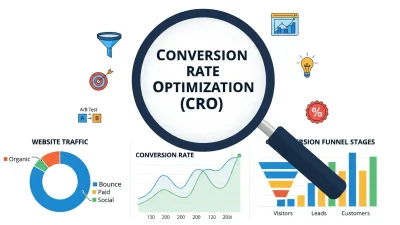
Sales Funnel Optimization focuses on improving the stages customers pass through before completing a purchase. These stages commonly include awareness, product discovery, evaluation, checkout, and conversion. Understanding how visitors behave at each stage helps businesses identify where shoppers encounter difficulties and where improvements may produce meaningful results.
For example, high product-page traffic combined with low add-to-cart activity may indicate unclear product information, weak imagery, or pricing concerns. A large number of abandoned carts may suggest checkout friction, unexpected costs, or limited payment choices. Analyzing these patterns helps businesses make decisions based on customer behaviour rather than assumptions.
When Sales Funnel Optimization is combined with better navigation, persuasive product information, and efficient checkout functionality, an ecommerce store can provide a more consistent shopping experience and improve its opportunities to generate sales.
How a Conversion Optimization Strategy Improves Results
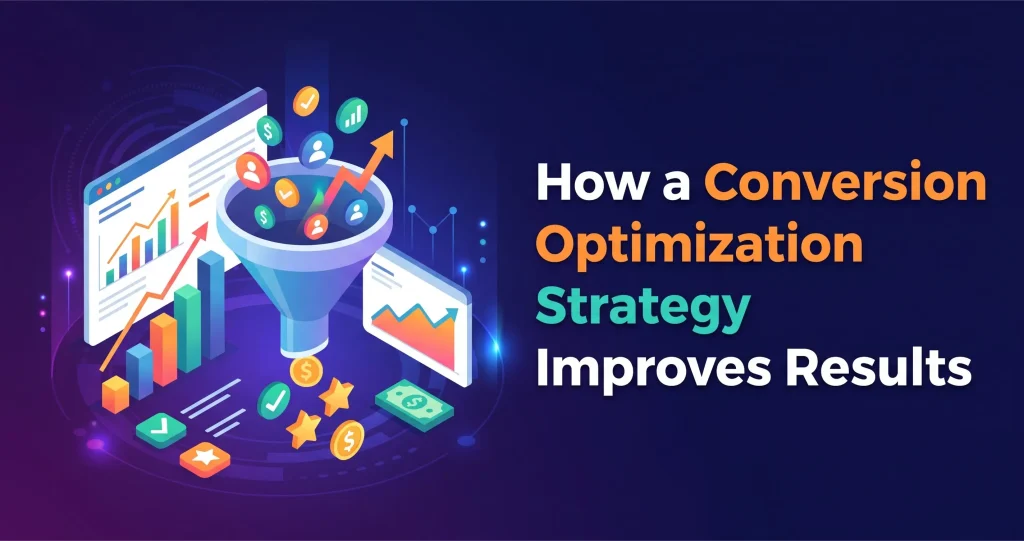 A Conversion Optimization Strategy focuses on increasing the percentage of visitors who complete valuable actions, such as purchasing products, subscribing to updates, or creating an account. Instead of relying only on attracting more traffic, businesses can improve how effectively their existing visitors interact with the website.
A useful strategy begins by reviewing analytics, conversion rates, user behaviour, and customer feedback. Businesses can then identify potential barriers and test improvements to product pages, calls to action, checkout layouts, and promotional messages.
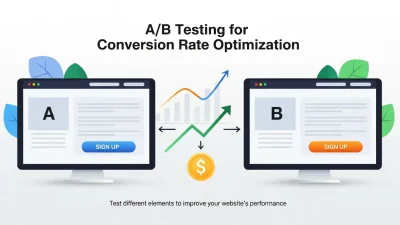
A/B testing can compare different versions of a page to determine which performs better against a defined objective. For example, a store may test alternative button wording or a simplified product layout. Results should be measured carefully, with sufficient data collected before drawing conclusions. Continuous testing helps ecommerce businesses refine the shopping experience as customer expectations change.
Conclusion
Ecommerce User Experience directly influences how customers discover products, evaluate options, complete purchases, and decide whether to return to an online store. Clear navigation, informative product pages, mobile responsiveness, fast loading speeds, and simple checkout processes help create a convenient and trustworthy shopping environment.
Businesses can strengthen these improvements through Sales Funnel Optimization, a data-driven Conversion Optimization Strategy, and ongoing customer journey optimization. By understanding customer behaviour and addressing common obstacles, online retailers can make shopping easier while creating better opportunities for increased sales and long-term customer loyalty.
Frequently Asked Questions (FAQs)
1. What Is Ecommerce User Experience?
Ecommerce User Experience describes how customers interact with an online store throughout their shopping journey. It includes navigation, product discovery, website performance, product information, checkout, payment security, and customer support.
2. How Does Ecommerce User Experience Improve Sales?
A positive experience makes it easier for customers to find suitable products and complete purchases. Better navigation, clear product information, mobile-friendly design, and streamlined checkout can reduce shopping barriers and support higher conversion rates.
3. Why Is Mobile User Experience Important for Ecommerce?
Mobile user experience helps customers shop conveniently using smartphones and tablets. Responsive layouts, readable text, accessible buttons, and fast-loading pages make browsing and purchasing easier across different devices.
4. How Can Ecommerce Websites Reduce Cart Abandonment?
Stores can reduce cart abandonment by displaying costs early, simplifying checkout, offering guest purchases, providing convenient payment methods, and ensuring that customers understand delivery and return policies before completing an order.
5. What Is Sales Funnel Optimization in Ecommerce?
Sales Funnel Optimization involves analyzing and improving the stages customers experience before purchasing. It helps businesses identify barriers in product discovery, evaluation, and checkout so they can improve the shopping journey.
6. How Does Product Page Design Affect Conversions?
Effective product pages provide clear descriptions, high-quality images, accurate pricing, customer reviews, and delivery information. These elements reduce uncertainty and help shoppers decide whether a product meets their needs.
7. What Is a Conversion Optimization Strategy?
A Conversion Optimization Strategy is a structured approach to increasing the percentage of website visitors who complete desired actions. It uses analytics, customer feedback, usability improvements, and controlled experiments to improve website performance.
8. How Does Website Speed Affect Online Shopping?
Fast-loading pages help customers browse products and complete purchases without unnecessary delays. Slow performance can create frustration, interrupt the shopping journey, and contribute to visitors leaving before completing an order.
9. How Can Customer Journey Optimization Improve Customer Satisfaction?
Customer journey optimization identifies customer needs and obstacles at different stages of shopping. Improving product discovery, information access, checkout, and post-purchase communication creates a smoother and more consistent experience.
10. How Often Should Ecommerce User Experience Be Improved?
Ecommerce businesses should review their user experience regularly and whenever customer behaviour, technology, or business goals change. Analytics, customer feedback, usability testing, and conversion data can help identify opportunities for ongoing improvements.