
Your analytics dashboard tells you what is happening on your website. Traffic dipped on Tuesday. Your checkout page has a 70% abandonment rate. The new landing page isn’t converting like you hoped. But numbers alone rarely explain why visitors behave the way they do—and without that context, fixing the problem becomes guesswork.
That’s where session recordings come in. By capturing how real users interact with your site, session recordings turn abstract metrics into clear, watchable stories. You see the rage clicks, the confused scrolling, the forms abandoned halfway through. Suddenly, the gap between clicks and conversions becomes obvious.
In this post, we’ll explore what session recordings are, why they matter for user behavior analysis, and how to use them to drive real improvements in your conversion rates. Whether you’re running an e-commerce store or a SaaS platform, these insights can help you build a smoother, more profitable user experience.
What Are Session Recordings?
Session recordings (sometimes called session replays) are video-like reconstructions of a user’s visit to your website or app. They capture mouse movements, clicks, taps, scrolls, and navigation between pages, then stitch everything together into a playback you can watch from start to finish.
It’s important to note that these aren’t actual screen recordings of a person’s device. Instead, the tool tracks user interactions and rebuilds the session in your browser. This protects user privacy while still giving you a faithful representation of their experience.
Think of it like having a one-way mirror into your website. You get to observe how visitors really use your pages—where they hesitate, what they ignore, and what makes them leave. Most session recording tools also let you filter replays by behavior, device, traffic source, or specific pages, so you can zero in on the sessions that matter most.
Why Metrics Alone Aren’t Enough
Traditional analytics platforms are excellent at measuring quantitative data. They tell you how many people visited a page, how long they stayed, and how many converted. But they fall short when it comes to explaining the human behavior behind those numbers.
Consider a simple example. Your analytics show that 60% of users drop off on your pricing page. That’s a problem worth solving—but the data doesn’t tell you why. Are visitors confused by the layout? Is a button broken on mobile? Are they scrolling past the most important information without noticing it?
Without qualitative insight, you’re left to form hypotheses and hope for the best. Session recordings fill this gap. They show you the actual moments of friction, transforming user behavior analysis from a numbers game into a clear narrative. When you watch ten users struggle with the same dropdown menu, you don’t need to guess what’s wrong. You can see it.
How Session Recordings Reveal User Behavior
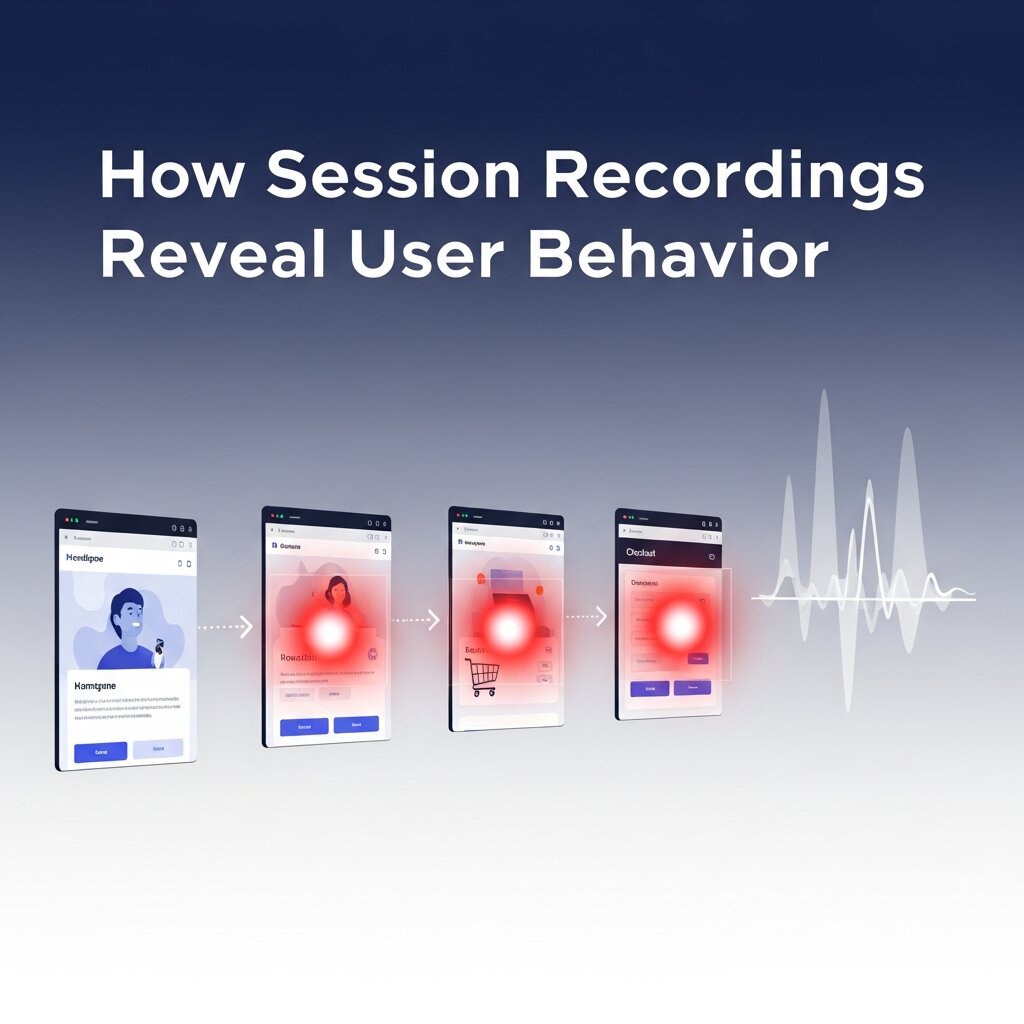 The real power of session recordings lies in their ability to expose patterns you’d never spot in a spreadsheet. Here are some of the most valuable behaviors they uncover.
Spotting Friction Points
Friction is anything that slows users down or frustrates them on their path to converting. Session recordings make these moments visible. You might notice users repeatedly clicking an element that isn’t clickable, or pausing for several seconds on a confusing form field.
These “rage clicks” and hesitation points are goldmines for improvement. Each one represents a small barrier between your visitor and a conversion—and removing it can have an outsized impact on your bottom line.
Understanding the Customer Journey
No two visitors take exactly the same path through your site. Some land on a blog post and wander to your product page. Others arrive ready to buy and head straight to checkout. Session recordings let you follow these journeys step by step.
By watching a range of sessions, you start to understand the typical routes users take and where those routes break down. This kind of insight is essential for customer journey optimization, helping you guide visitors smoothly from their first click toward a completed purchase or sign-up.
Identifying Confusing Design Elements
Sometimes, a design choice that looks great to your team confuses your actual users. Maybe a call-to-action button blends into the background, or a navigation menu isn’t where people expect it to be. Session recordings reveal these disconnects clearly.
When you see multiple users scroll right past your primary CTA or hover uncertainly over a vague label, you have concrete evidence that something needs to change. This makes user experience optimization a matter of observation rather than opinion.
Turning Recordings Into Conversions
 Watching session recordings is interesting, but the goal is action. Here’s how to translate what you see into measurable conversion gains.
Prioritize High-Impact Pages
You don’t have time to watch every recording, and you don’t need to. Start with the pages that matter most to your business—your checkout flow, your pricing page, your top landing pages. These are where conversions happen, so even small improvements here deliver big returns.
Filter your recordings to focus on sessions where users dropped off or abandoned a cart. These “failed” sessions often hold the clearest clues about what’s stopping people from converting.
Combine Recordings With Other Tools
Session recordings work best alongside other behavior analysis tools. Pair them with heatmaps to see aggregate click and scroll patterns, then use recordings to dig into the individual stories behind those patterns. Combine them with your analytics data to confirm whether a fix actually moved the needle.
This layered approach gives you both the big picture and the fine detail. Heatmaps tell you where users focus, recordings tell you how they behave, and analytics confirm the impact of your changes.
Form and Test Hypotheses
Every friction point you spot is a hypothesis waiting to be tested. If you notice users abandoning a long checkout form, your hypothesis might be: “Shortening this form will reduce abandonment.” You can then run an A/B test to validate it.
This cycle—observe, hypothesize, test, refine—is the heart of effective customer journey optimization. Session recordings give you the qualitative starting point, and testing gives you the proof.
Real-World Applications Across Industries
Session recordings deliver value in almost any context where users interact with a digital product.
E-commerce stores use recordings to fix leaky checkout funnels, identify which product page elements drive purchases, and reduce cart abandonment. Watching a shopper hesitate at the shipping cost reveal can prompt you to be more transparent about pricing earlier.
SaaS companies rely on recordings to improve onboarding flows and reduce churn. If new users get stuck during setup, replays show exactly where they lose momentum—insight that’s invaluable for user experience optimization.
Content publishers and lead-generation sites use recordings to understand how readers engage with articles and forms. Are people reading to the end? Do they fill out your contact form, or give up halfway? The answers shape smarter content and design decisions.
Across all these cases, the common thread is the same: session recordings replace assumptions with evidence.
Best Practices for Using Session Recordings
To get the most out of session recordings, keep these guidelines in mind.
Respect user privacy: Choose a tool that automatically masks sensitive information like passwords, payment details, and personal data. This keeps you compliant with regulations like GDPR and protects your users’ trust.
Watch with a goal in mind: Random viewing can be a time sink. Before you press play, decide what question you’re trying to answer—why a page underperforms, how users navigate a feature, where a funnel leaks.
Look for patterns, not anomalies: A single odd session doesn’t mean much. But when you see the same behavior across many users, you’ve found something worth acting on. Reliable user behavior analysis depends on identifying repeatable trends.
Share insights across teams: Session recordings are powerful when designers, marketers, developers, and product managers all watch them. Seeing real user struggles builds empathy and aligns your whole team around fixing them.
Common User Behaviors That Signal Conversion Problems
Not every visitor who leaves your site does so because they aren’t interested. Often, their behavior reveals hidden obstacles that prevent them from completing a desired action. Session recordings help uncover these warning signs before they become major conversion issues.
Some common behaviors to watch for include rapid back-and-forth navigation, repeated form edits, excessive scrolling, and long periods of inactivity. These actions often indicate confusion, uncertainty, or difficulty finding information. By identifying these patterns early, businesses can make targeted improvements that create a smoother experience and reduce abandonment rates.
How Session Recordings Improve Team Decision-Making
 One of the biggest advantages of session recordings is their ability to align teams around real user experiences. Instead of debating assumptions about what users want or where problems exist, stakeholders can review actual user interactions and make decisions based on evidence.
Designers gain insight into usability issues, developers can identify technical problems, marketers can understand campaign performance, and product teams can prioritize improvements more effectively. This shared understanding reduces guesswork and accelerates the process of creating meaningful website enhancements.
Measuring the Impact of Changes After Reviewing Recordings
The work doesn’t end once you’ve identified a problem and implemented a fix. Measuring the impact of those changes is essential for continuous improvement. Session recordings can help validate whether your optimizations are actually improving the user experience.
After making updates, compare new recordings against previous sessions to see how behavior changes. Look for reductions in hesitation, fewer abandoned forms, smoother navigation paths, and improved completion rates. When combined with conversion metrics and A/B testing results, session recordings provide valuable confirmation that your improvements are delivering real business outcomes.
FAQ: Session Recordings
1. What are session recordings?
Session recordings are video-like replays of user interactions on a website or app. They capture clicks, scrolls, mouse movements, and navigation paths to help businesses understand user behavior.
2. How do session recordings differ from traditional analytics?
Traditional analytics show what users do through metrics and reports, while session recordings reveal why they behave that way by visually displaying their actions and interactions.
3. Are session recordings actual screen recordings?
No. Session recordings recreate user interactions based on tracked events rather than recording the user’s actual screen, helping protect privacy and improve performance.
4. How can session recordings improve conversion rates?
They help identify friction points, confusing design elements, and broken user flows, allowing businesses to make targeted improvements that increase conversions.
5. What types of user behavior can session recordings reveal?
Session recordings can uncover rage clicks, excessive scrolling, form abandonment, navigation issues, hesitation points, and other behaviors that impact user experience.
6. Which pages should I analyze first with session recordings?
Focus on high-value pages such as landing pages, pricing pages, checkout flows, sign-up forms, and any pages with high bounce or abandonment rates.
7. Can session recordings help reduce cart abandonment?
Yes. By showing where shoppers encounter confusion or obstacles during checkout, session recordings help businesses optimize the purchase process and reduce drop-offs.
8. Should session recordings be used with other analytics tools?
Absolutely. Combining session recordings with heatmaps, analytics platforms, and A/B testing tools provides a more complete understanding of user behavior and performance.
9. How do session recordings support user experience optimization?
They reveal real user struggles and navigation patterns, helping teams improve layouts, simplify workflows, and create more intuitive digital experiences.
10. Are session recordings compliant with privacy regulations?
Most reputable session recording tools offer features such as data masking and sensitive information filtering to help businesses comply with privacy laws like GDPR and CCPA.
Watch, Learn, and Convert
The journey from clicks to conversions is rarely a straight line. Visitors hesitate, get confused, and abandon their carts for reasons that traditional metrics can’t fully explain. Session recordings close that knowledge gap, showing you exactly how people experience your site and where that experience breaks down.
By combining the what of analytics with the why of session recordings, you gain a complete picture of your users. You can pinpoint friction, streamline the customer journey, and make confident, evidence-based decisions that lift your conversion rates.