
Every marketing team wants to know what’s working. But without accurate conversion tracking, that question is nearly impossible to answer. You’re left guessing—adjusting budgets based on instinct, scaling campaigns that may not be delivering, and cutting ones that might actually be performing well.
Conversion tracking is the backbone of data-driven marketing. It connects the dots between a user’s first interaction with your brand and the moment they take a meaningful action—whether that’s making a purchase, submitting a form, or booking a demo. When that data is accurate, marketers gain the clarity they need to allocate resources wisely, optimize campaigns in real time, and make decisions that actually move the needle.
The stakes are high. According to a 2023 report by Forrester, companies that invest in marketing analytics and measurement see up to 20% improvement in marketing ROI. Yet many businesses still operate with incomplete or misconfigured tracking setups, leading to decisions built on faulty data.
This post breaks down what accurate conversion tracking really means, how it connects to funnel analysis and website analytics, and why getting it right is one of the highest-leverage investments a marketing team can make.
What Is Conversion Tracking—and Why Does Accuracy Matter?
Conversion tracking is the process of recording when a user completes a desired action on your website or app. These actions—commonly called “conversions”—can range from a product purchase to a newsletter signup, a phone call, or a video view. Tracking tools like Google Ads conversion tracking, Meta Pixel, and Google Analytics 4 (GA4) are typically used to capture this data.
But here’s the catch: tracking a conversion is not the same as tracking it accurately.
Inaccurate conversion data can stem from a range of issues—duplicate conversion events, misconfigured tags, browser-based cookie restrictions, or attribution models that don’t reflect how customers actually behave. When any of these problems go unaddressed, marketing decisions are made on data that doesn’t tell the full story.
The result? Ad budgets get misallocated. High-performing channels get underfunded. Campaigns get paused prematurely. Over time, these small errors compound into significant missed opportunities.
Accurate conversion tracking, by contrast, gives marketing teams a reliable foundation. Every optimization decision—from bid adjustments to creative testing—is only as good as the data it’s based on.
How Conversion Tracking Connects to Funnel Analysis
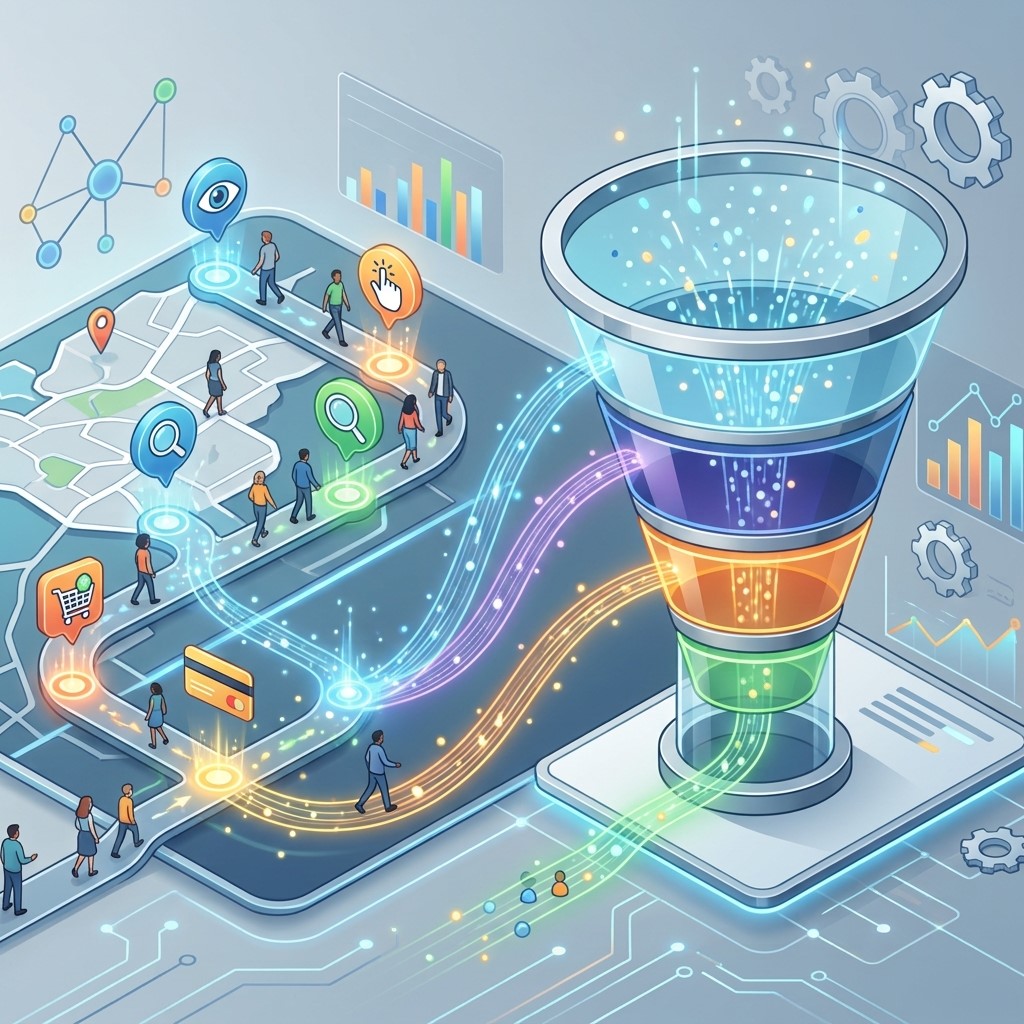 Conversion tracking and funnel analysis go hand in hand. A conversion doesn’t happen in isolation—it’s the end result of a journey that often spans multiple touchpoints, sessions, and devices. Funnel analysis helps you understand that journey: where users enter, where they drop off, and what motivates them to move forward.
When conversion data is accurate, funnel analysis becomes genuinely useful. You can identify which stages of the funnel are underperforming and why. For example, you might find that traffic to your landing page is strong, but conversions drop sharply at the checkout step. That’s a signal worth investigating—perhaps the form is too long, or the page loads slowly on mobile.
Without reliable conversion tracking, funnel analysis loses its diagnostic power. You might see a drop-off at a particular stage, but if the conversion data feeding that report is inflated or incomplete, the insight is misleading.
The strongest marketing teams treat funnel analysis as an ongoing discipline. They define micro-conversions at each stage of the funnel—not just the final sale—and track them with the same rigor as macro-conversions. This approach surfaces friction points early, before they affect revenue.
The Role of Website Analytics in Conversion Optimization
Website analytics platforms provide the context that conversion tracking data needs to be meaningful. Raw conversion numbers tell you what happened. Website analytics tell you who converted, where they came from, and how they behaved before they converted.
Tools like GA4, Adobe Analytics, and Mixpanel allow marketers to layer behavioral data on top of conversion data. You can see which traffic sources drive the highest-quality visitors, which content types correlate with conversions, and how long users typically take to convert after their first visit.
This kind of visibility is critical for scaling what works. If your website analytics show that organic search visitors convert at three times the rate of paid social visitors, that’s a strategic insight—one that should directly influence how you allocate your marketing budget.
Website analytics also help identify anomalies in your conversion data. A sudden spike in conversions might look like a win, but website analytics can help you determine whether it reflects genuine user behavior or a tracking error. That distinction matters enormously when you’re making decisions about where to invest next.
User Behavior Analysis: The Missing Piece in Most Tracking Setups
 Most businesses track what users do, but fewer invest in understanding why they do it. User behavior analysis fills that gap. By examining heatmaps, session recordings, scroll depth, and click patterns, marketers can connect the quantitative data from conversion tracking with qualitative insight about user experience.
Consider a scenario where your conversion rate on a landing page is lower than expected. Your website analytics show that traffic volume and bounce rate look healthy. So what’s going wrong? User behavior analysis might reveal that users are consistently clicking on an image that isn’t linked, or that they’re abandoning the page after encountering a form that requires too much information.
These are insights that conversion tracking alone cannot surface. The combination of conversion data, funnel analysis, and user behavior analysis creates a feedback loop that drives continuous improvement.
Platforms like Hotjar, FullStory, and Microsoft Clarity are commonly used for user behavior analysis. When integrated with your existing analytics stack, they add a powerful layer of context that makes your conversion data far more actionable.
Common Conversion Tracking Mistakes That Skew Your Data
Even experienced marketing teams make tracking errors. Here are some of the most common issues that compromise conversion data accuracy:
Counting duplicate conversions: If a thank-you page is visited more than once—due to page refreshes or back-button navigation—a single conversion can be recorded multiple times. This inflates your conversion numbers and distorts your ROI calculations.
Ignoring cross-device journeys: A user might discover your brand on their phone, research on a tablet, and convert on a desktop. If your tracking setup doesn’t account for cross-device behavior, that conversion gets misattributed—or not attributed at all.
Relying on last-click attribution: Last-click attribution gives 100% of the conversion credit to the final touchpoint before conversion. This model systematically undervalues upper-funnel channels like display advertising and content marketing, which often play a critical role in driving awareness and consideration.
Failing to audit tracking regularly: Tags break. Websites get updated. Privacy regulations change. A tracking setup that was accurate six months ago may no longer be today. Regular audits—at least quarterly—are essential for maintaining data integrity.
Fixing these issues requires a combination of technical diligence and strategic thinking. But the payoff is significant. Clean, accurate conversion data is one of the most valuable assets a marketing team can have.
How to Build a Conversion Tracking Setup That Supports Better Decisions
Getting conversion tracking right from the start saves a great deal of time and frustration down the line. Here are the key steps to building a setup that drives reliable insights:
Define your conversions clearly: Before you configure any tags or pixels, get alignment on what counts as a conversion for your business. Be specific—”a completed purchase” is more useful than “a transaction.” Document your conversion events and their business value.
Use a tag management system: Tools like Google Tag Manager simplify the process of deploying and managing tracking tags across your website. They reduce the risk of implementation errors and make it easier to update your setup as your business evolves.
Implement server-side tracking: Browser-based tracking is increasingly limited by ad blockers and cookie restrictions. Server-side tracking sends conversion data directly from your server to the advertising and analytics platform, bypassing these restrictions and improving data accuracy.
Choose the right attribution model: Rather than defaulting to last-click, explore data-driven attribution models that distribute credit across all touchpoints based on their actual contribution to conversions. GA4 uses a data-driven attribution model by default, which is a significant improvement over older approaches.
Validate your setup before going live: Use tools like Google Tag Assistant, Meta Pixel Helper, and GA4’s DebugView to confirm that your conversion events are firing correctly and capturing the right data.
Turning Conversion Data into Marketing Strategy
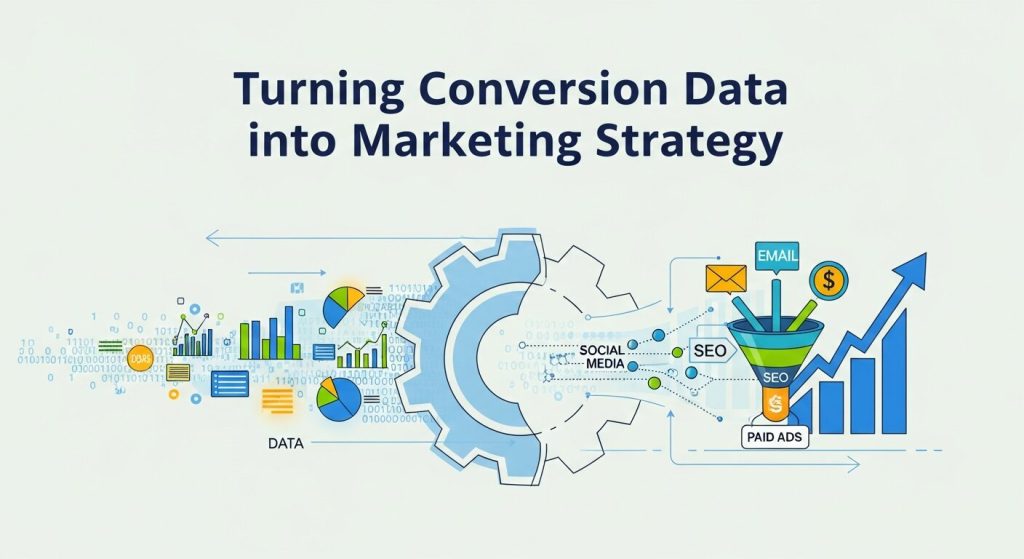 Accurate conversion tracking only creates value when it informs action. The goal is not just to collect data—it’s to make better marketing decisions with it.
Start by establishing conversion benchmarks for each of your key channels and campaigns. These benchmarks give you a reference point for evaluating performance over time and identifying when something needs attention.
Next, use your conversion data to prioritize testing. If your funnel analysis reveals a significant drop-off at a specific stage, design an A/B test to address it. Use your website analytics to form a hypothesis, your user behavior analysis to validate it, and your conversion tracking to measure the impact.
Finally, connect your conversion data to revenue outcomes. Marketers who can demonstrate a direct line between their campaigns and business results earn the trust and budget they need to operate effectively. Conversion tracking makes that connection possible.
Accurate Data Is the Foundation of Effective Marketing
The quality of your marketing decisions will always be limited by the quality of your data. Conversion tracking, when implemented accurately and used thoughtfully alongside funnel analysis, website analytics, and user behavior analysis, gives marketing teams the clarity to act with confidence.
Start by auditing your current tracking setup. Identify the gaps, fix the errors, and build a foundation that reflects how your customers actually behave. The insights that follow won’t just improve your campaigns—they’ll shape a smarter, more efficient marketing operation overall.