
Boost your website’s performance and turn more visitors into customers with Proven CRO Tips. Learn how optimizing speed, usability, mobile experience, and trust signals can increase conversions. Apply actionable strategies to improve engagement, drive sales, and maximize your ROI.
What Is a Conversion Rate, and Why Does It Matter?
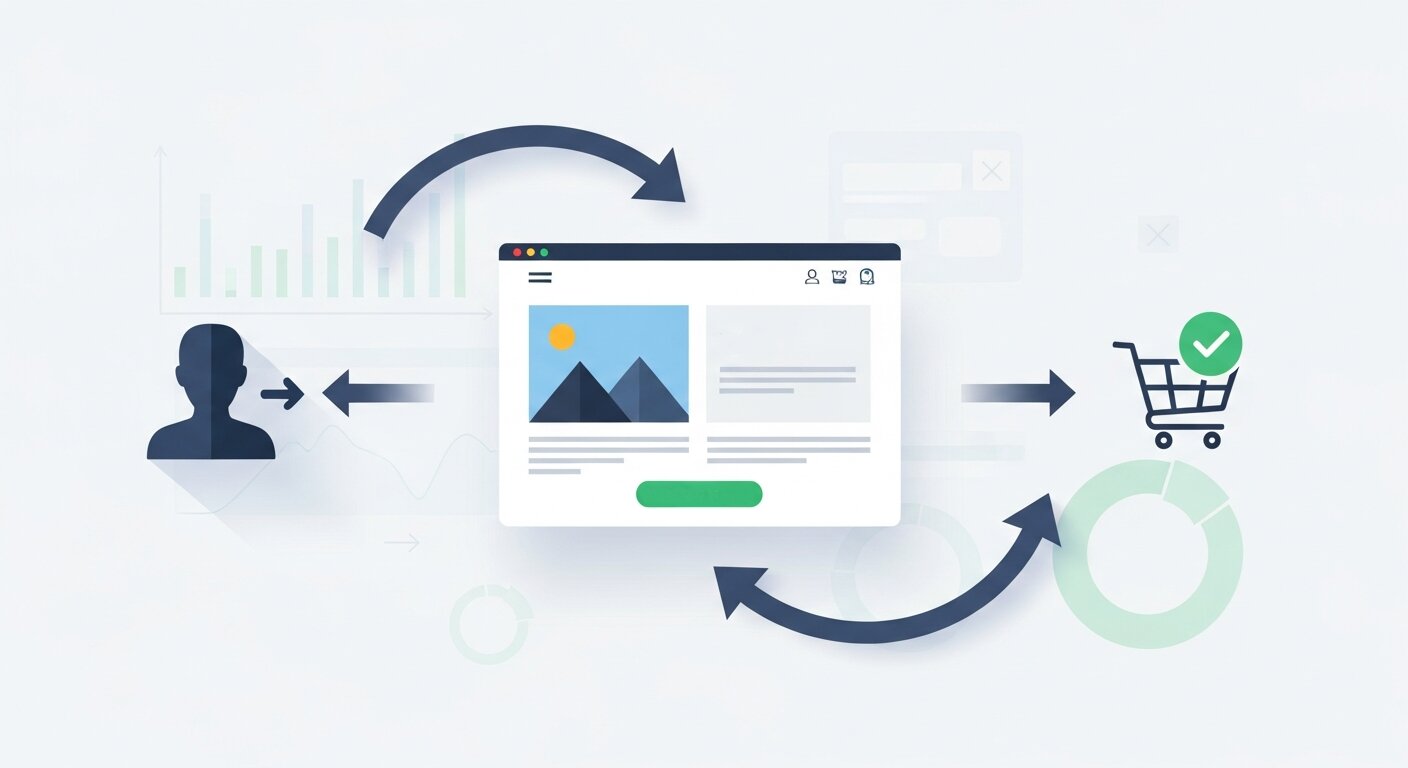
Before we explore the factors that affect conversion rates, it’s important to fully understand what this metric represents. A conversion rate measures the percentage of visitors to your website who complete a specific, desired action, often referred to as a “conversion.” These actions can vary depending on your business goals: for an e-commerce site, it might be making a purchase; for a SaaS platform, it could be signing up for a free trial or requesting a demo; for a content-driven site, it might involve subscribing to a newsletter or filling out a contact form.
Conversion rate is a key performance indicator because it shows how effectively your website turns visitors into customers or leads. A higher conversion rate means that a larger proportion of your traffic is taking the actions you want, signaling that your website design, messaging, and user experience are aligned with your audience’s needs. Conversely, a low conversion rate indicates missed opportunities, highlighting areas where your website may need improvements in usability, content, or trust-building elements. Understanding this metric is the first step toward making informed decisions that can maximize the value of your website traffic.
Here’s the formula:
Conversion Rate = (Conversions / Visitors) x 100
That is, if last month, you had 1,000 visitors and 50 of them converted from visitors to customers, then your conversion rate would be:
(50 ÷ 1,000) × 100 = 5%
When you have a high conversion rate, your traffic is highly optimized. A poor conversion rate means you have extravaganza possibilities on capturing and converting your audience.
Conversion Rate Influencing Factors
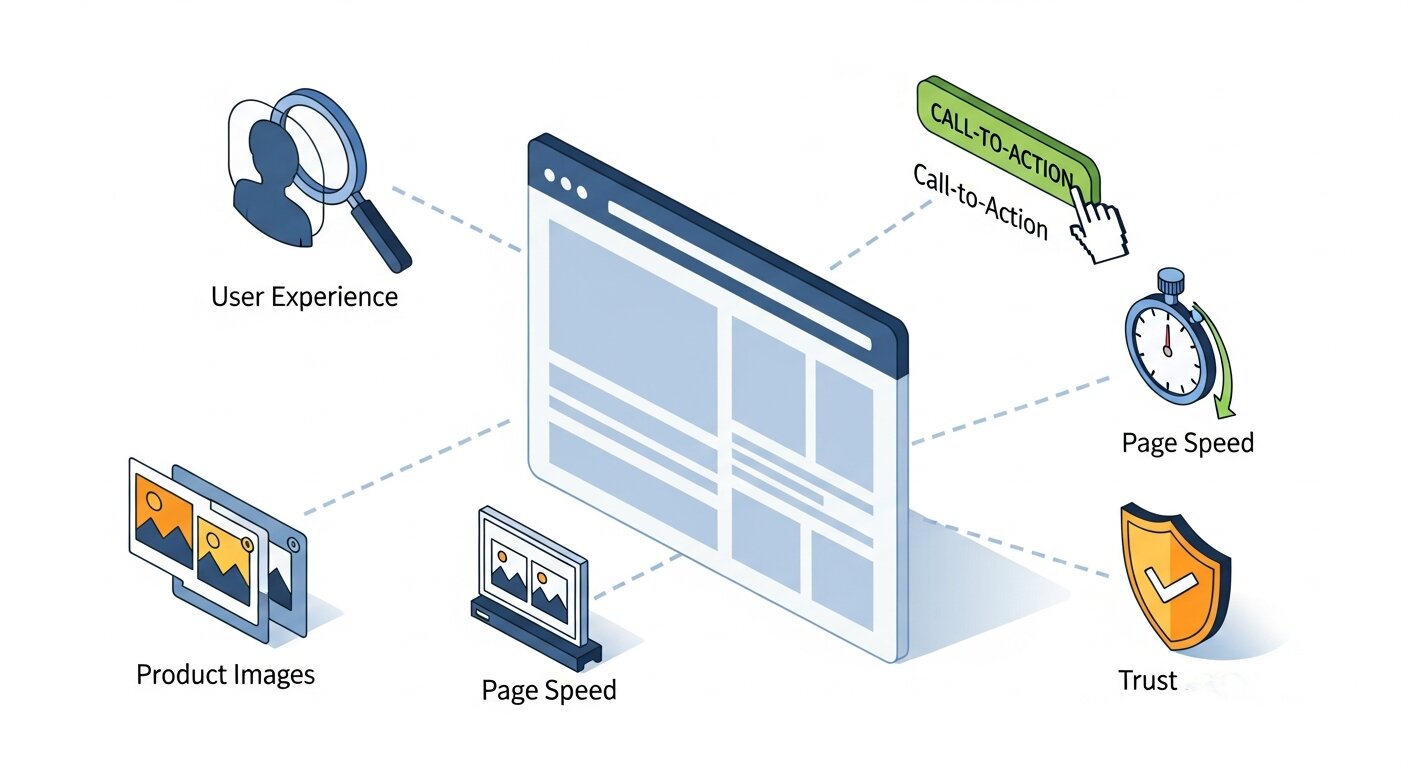
Conversion rates are influenced by a wide range of elements, and understanding these factors is essential for optimizing your website. From the overall user experience to the design and content of your pages, almost every aspect of your website can impact whether a visitor takes the desired action. Even subtle psychological triggers—like urgency, trust, or social proof—can make a significant difference. For a complete view, check our post on how conversion rate optimization works.
Website Speed and Performance
One of the most critical factors for conversion rate optimization is website performance. In today’s fast-paced digital world, visitors expect websites to load almost instantly. Even a minor delay of a few seconds can frustrate users, increase bounce rates, and result in lost conversions. Research shows that slow-loading websites can drive away more than half of potential visitors, making performance optimization a non-negotiable aspect of conversion rate optimization.
A well-performing website not only improves conversions but also enhances overall user satisfaction. Fast-loading pages create a sense of reliability and professionalism, encouraging visitors to stay, explore, and ultimately take action. Key performance considerations include optimizing images and media, leveraging browser caching, implementing a content delivery network (CDN), and reducing unnecessary scripts or redirects. Regular performance audits using tools like Google PageSpeed Insights, GTmetrix, or Pingdom can help you identify and address bottlenecks that may be costing you conversions.
Key Statistics
- 53% of visitors leave a website if it takes longer than 3 seconds to load (Google).
- One second delay and conversions drop 7% (Akamai).
Quick Fixes
- Leverage resources such as Google PageSpeed Insights to find performance bottlenecks.
- I also do image optimization and use next-gen formats, like WebP.
- Leverage browser caching and also think about implementing a Content Delivery Network (CDN) to deliver the content more quickly.
Mobile Responsiveness
With mobile traffic now surpassing desktop traffic in many industries, ensuring your website performs seamlessly across all devices has become critical. A website that looks great on a desktop but is difficult to navigate on a smartphone or tablet can frustrate users and drive them away before they even engage with your content or products. Poor mobile optimization often leads to higher bounce rates, abandoned carts, and lost leads, all of which directly impact your conversion rate.
Mobile responsiveness goes beyond simply fitting content on a smaller screen. It involves designing intuitive navigation, optimizing images and media for faster loading, and ensuring buttons, forms, and calls-to-action are easy to interact with on touch screens. Testing your mobile site’s performance regularly with tools like Google’s Mobile-Friendly Test, GTmetrix, or Pingdom helps identify issues that could hinder the user experience. A responsive, fast, and user-friendly mobile website not only keeps visitors engaged but also builds trust and encourages them to complete desired actions, making it a crucial factor in effective conversion rate optimization.
Optimizing for Mobile
- Implement a responsive design so your site scales properly to all screen sizes.
- You should test the speed and performance of your mobile site on a regular basis with tools like GTmetrix or Pingdom.
- Make your site more mobile-friendly in terms of navigation, with easy to find menus and calls to action (CTA buttons).
User-centred Design and Usability
The design and usability of your website play a pivotal role in conversion rate optimization. A cluttered, confusing, or overly complex layout can frustrate visitors and prevent them from taking the actions you want them to. Even if your content and offers are excellent, a poor user experience can turn potential customers away before they engage.
User-centred design focuses on making your website intuitive and easy to navigate, regardless of a visitor’s familiarity with your industry, products, or services. Clear navigation menus, logically organized content, and well-structured pages allow users to find what they’re looking for quickly and effortlessly. Forms should be simple and concise, with only essential fields, while search functionality and filters can help users locate content or products directly. Proper use of whitespace, consistent typography, and visual hierarchy ensures your website feels approachable rather than overwhelming. By prioritizing usability and a user-centred approach, you reduce friction, build trust, and significantly increase the likelihood of conversions.
How to Improve Usability
- Keep your navigation menus simple with clear headings.
- Minimize friction by keeping forms as short and easy to complete as possible.
- Include search functionality for visitors to find their content or products directly.
- Adding some space to your layout will help prevent it from feeling congested.
Trust Signals and Credibility
Trust is a cornerstone of successful conversion rate optimization. Visitors are much more likely to take action—whether making a purchase, signing up for a newsletter, or submitting a form—if they perceive your website as credible, secure, and professional. Without trust, even a visually appealing site with great content may fail to convert users. Check our Conversion Rate Optimization for Businesses post for strategies to build authority.
Building credibility involves multiple elements. Displaying security indicators like SSL certificates reassures users that their data is protected, while recognizable trust badges or payment options increase confidence during transactions. Featuring customer reviews, testimonials, and ratings provides social proof that others have had positive experiences with your product or service. Media mentions, awards, or partnerships with reputable organizations further strengthen your authority in your industry. Additionally, transparent policies—such as clear return or privacy policies—reduce hesitation and eliminate doubts about engaging with your business. By strategically incorporating these trust signals, you create an environment where users feel safe and confident, ultimately boosting your conversion rate.
Ways to Build Trust
- Show trust badges (like SSL certificates for secure payment gateways).
- (Add customer feedbacks and reviews to your website as soon as possible.
- If you can, list the logos you trust on the homepage, like news media mentions, or awards.
- Offer a no-questions-asked return policy to reduce shopper apprehension.
Strong Calls to Action (CTAs)
Calls to Action (CTAs) are the guiding lights of your website—they tell visitors exactly what to do next. However, not all CTAs are created equal. Generic phrases like “Submit” or “Click Here” fail to inspire action or communicate value, which can lead to missed conversions. A well-crafted CTA, on the other hand, creates a sense of urgency, excitement, or benefit that motivates users to take the next step.
Effective CTAs are clear, concise, and action-oriented. Use persuasive language that highlights the immediate benefit to the user, such as “Get Your Free Guide,” “Start Saving Today,” or “Claim Your Spot Now.” Placement is equally important—CTAs should appear in highly visible areas on pages where decisions are made, such as product pages, checkout flows, or blog posts. For guidance on measuring CTA impact, see Analytics Marketing: How to Drive Results With Data.
Optimize Your CTAs
- Use action-oriented verbiage, such as “Start Saving Now” or “Get the Deal Today.”
- Differ buttons with the use of a contrasting color and the right size.
- Place CTAs in relevant places on high volume pages and where decisions are made (like the check out, product and blog pages).
Copywriting and Messaging
The messaging on your website has a huge impact on how potential customers will interpret your value proposition. The misaligned or incomprehensible copy can serve to confuse users and turn them off.
Tips for Effective Messaging
- Write snappy headlines that share benefits at first glance.
- Pain Point and Solution: What pain points do your audience members have and how does your product/service address them?
- Leverage storytelling to evoke an emotional response from your audience.
- A/B test to see which of your copy performs the best.
Personalization and Relevance
When you personalize, you help deliver a unique experience and website for your visitors, and you’re more likely to convert them.
Personalized Experiences
- Recommend usyclesers based on their browsing history or past purchases.
- Leverage geotargeting to present them with items or information they might find useful on their mobile.
- Mass email campaigns have nice personal touch using a recipient’s name!
Pricing and Transparency
When pricing is confusing or when you look more expensive than the competition, visitors will be less likely to want to buy.
Pricing Best Practices
- Show the price in a clear way and do not have anything to hide.
- Ensure clear comparisons among SaaS business plans.
- Emphasise value: Use language to bring attention to cost savings or something a little bit different.
Psychological Triggers

There are psychological principles that can help persuade users to convert.
Some of the Common Psychological Triggers Are:
- Scarcity: Urgency is created by limited-time deals and low-stock signals (such as “Only 2 left in stock”).
- Social Proof: Show visitors that there are other satisfied customers (e.g. “Trusted by 30,000 users”).
- Reciprocity: In giving away something free — an ebook, for example — in exchange for an email address, the recipient is more inclined to “give back.”
Analytics and Ongoing Testing
Conversion rate optimization is not a set-it-and-forget-it job. It takes constant experimenting and analyzing to get to where you want to be.
Tools You Need
- Track traffic and behavior on critical pages via Google Analytics.
- Create heatmaps with Hotjar or CrazyEgg to see where your user clicks and scrolls.
- Test your headlines, designs and CTAs to see which version works best for you with A/B testing.
How to Begin to Increase Your Conversions

Now that you know what influences conversion rate, you’re all set to optimize your website. These are some actionable next steps:
- Conduct website audit: Look at spots where you may be losing traffic or not seeing engagement.
- Address the Biggest Issues First: Start with changes that will have the biggest impact, such as improving page speed and mobile usability.
- Test and Learn: Always test and measure what works best with your audience.
Optimizing your conversion rate isn’t just about using tactics, but also using insights to understand how all of these elements fit together and create a cohesive user experience.
Frequently Asked Questions (FAQ)
What are Proven CRO Tips for increasing online sales?
Proven CRO Tips include optimizing website speed, creating clear CTAs, improving mobile responsiveness, adding trust signals, and personalizing user experiences. Combining these tactics ensures higher conversion rates and better ROI.
How do Proven CRO Tips help with user engagement?
These tips improve usability, reduce friction, and guide visitors through a seamless journey. By making the experience intuitive and enjoyable, users are more likely to take action, increasing engagement and conversions.
Can Proven CRO Tips work for small websites too?
Absolutely. Proven CRO Tips are scalable and can be applied to websites of any size. Even small changes, like optimizing forms or adding trust badges, can significantly improve conversion rates.
How often should I implement Proven CRO Tips?
Conversion rate optimization is ongoing. Regularly reviewing analytics, testing new elements, and refining your website ensures that you continuously apply Proven CRO Tips and stay ahead of user expectations.
What is the first step to apply Proven CRO Tips?
Start by conducting a website audit to identify areas with the highest potential for improvement. Focus on high-impact elements like page speed, mobile usability, and CTA placement, then gradually implement other Proven CRO Tips.
What tools can help implement Proven CRO Tips effectively?
Tools like Google Analytics, Hotjar, CrazyEgg, Optimizely, and VWO are essential for tracking user behavior, running A/B tests, and measuring results. Using these tools ensures you apply Proven CRO Tips based on real data.
How do Proven CRO Tips improve mobile conversions?
By optimizing mobile responsiveness, streamlining navigation, and making forms easy to complete, Proven CRO Tips ensure mobile visitors have a smooth experience, which directly increases mobile conversion rates.
Are Proven CRO Tips different for e-commerce and SaaS websites?
The core principles remain the same, but application differs. E-commerce sites may focus on product pages, checkout flow, and cart abandonment, while SaaS platforms may emphasize sign-up forms, onboarding, and demo requests. Both can benefit from Proven CRO Tips.
How long does it take to see results from Proven CRO Tips?
Results vary depending on traffic volume, website complexity, and the type of optimizations implemented. Some changes, like improving page speed or CTA design, can show immediate improvements, while others, like A/B testing and personalization, may take weeks to yield insights.
Can Proven CRO Tips reduce bounce rates as well as increase conversions?
Yes. Many Proven CRO Tips, such as improving site speed, usability, and content relevance, not only boost conversions but also reduce bounce rates by keeping visitors engaged and encouraging them to explore more pages.