

Understanding Website Conversion Rates
Before we dive into optimization tactics, we can set up what we’re measuring. A conversion rate represents the percentage of website visitors who complete a desired action. This could be making a purchase, signing up for a newsletter, downloading a resource, or filling out a contact form.
The average conversion rate varies significantly across different industries and business models. E-commerce sites typically see rates between 2-3%, while B2B service providers might experience rates closer to 1-2%. However, top-performing websites often achieve conversion rates of 5% or higher through strategic optimization.
Calculating your baseline conversion rate is straightforward: divide the number of conversions by total visitors, then multiply by 100. For example, if 50 out of 2,000 visitors make a purchase, your conversion rate is 2.5%.
Create Compelling Headlines and Value Propositions

Your headline is often the first—and sometimes only—chance to capture a visitor’s attention. A weak headline can cause potential customers to leave within seconds, regardless of how great your product or service might be.
Effective headlines communicate the primary benefit visitors will receive. Instead of generic phrases like “Welcome to Our Website,” try specific, benefit-focused alternatives such as “Save 3 Hours Weekly with Automated Social Media Scheduling” or “Get Professional Design Services for 50% Less Than Traditional Agencies.”
Your value proposition should answer three critical questions: What do you offer? How does it benefit the customer? Why should they choose you over competitors? Test different headline variations to see which resonates most with your audience.
Optimize Your Website’s Loading Speed
Page speed directly impacts conversion rates. Research shows that even a one-second delay in page load time can reduce conversions by 7%. When visitors encounter slow-loading pages, they often abandon the site before experiencing your offering.
Start by testing your current page speed using tools like Google PageSpeed Insights or GTmetrix. These platforms identify specific issues slowing down your site and provide actionable recommendations for improvement.
Common speed optimization techniques include compressing images, minifying CSS and JavaScript files, enabling browser caching, and choosing a reliable hosting provider. Consider using a content delivery network (CDN) to serve your content from servers closer to your visitors’ geographic locations.
Simplify Your Navigation and User Experience
Confusing or cluttered navigation creates friction that quietly kills conversions. When visitors arrive on your website, they should immediately understand where to go and how to take the next step. Reducing friction is a core principle outlined in the complete guide to conversion optimization strategy.
Start by auditing your navigation from the perspective of a first-time visitor. Remove unnecessary menu items that don’t directly support user goals or business objectives, and group remaining pages into clear, logical categories. Navigation labels should be simple and descriptive—terms like “Pricing,” “Features,” or “Get Started” are far more effective than creative but vague alternatives that leave users guessing. Clarity always outperforms cleverness when it comes to conversion optimization.
Beyond menus, the overall user experience should guide visitors naturally toward your primary conversion goal. Whether that goal is signing up, requesting a quote, or making a purchase, the path should feel obvious and intuitive. Primary calls-to-action should be visible without scrolling and consistently accessible across the site. At the same time, remove or reduce visual distractions—such as excessive pop-ups, unrelated links, or competing CTAs—that pull attention away from the desired action. A streamlined experience keeps users focused and increases the likelihood they’ll convert.
Implement Social Proof and Trust Signals
Visitors are far more likely to take action when they feel confident in your credibility. Social proof works because it taps into behavioral psychology—people look to others to validate decisions. These concepts are explored further in psychology-backed CRO techniques.
Customer testimonials are among the most powerful forms of social proof, especially when placed near key conversion points such as pricing pages, checkout screens, or signup forms. The most effective testimonials go beyond vague praise and highlight specific outcomes or measurable results. Statements like “This tool helped us increase leads by 35% in three months” provide tangible proof of value and make your claims more believable.
In addition to testimonials, trust signals reinforce legitimacy and professionalism. Logos of well-known clients, industry certifications, security badges, and compliance indicators reassure visitors that their data and payments are safe. Clear contact information, transparent policies, and money-back guarantees further strengthen trust by showing accountability and confidence in your offering. If your brand has been featured in reputable publications or has impressive user statistics, showcasing these elements can dramatically increase conversion confidence.
Design Effective Call-to-Action Buttons
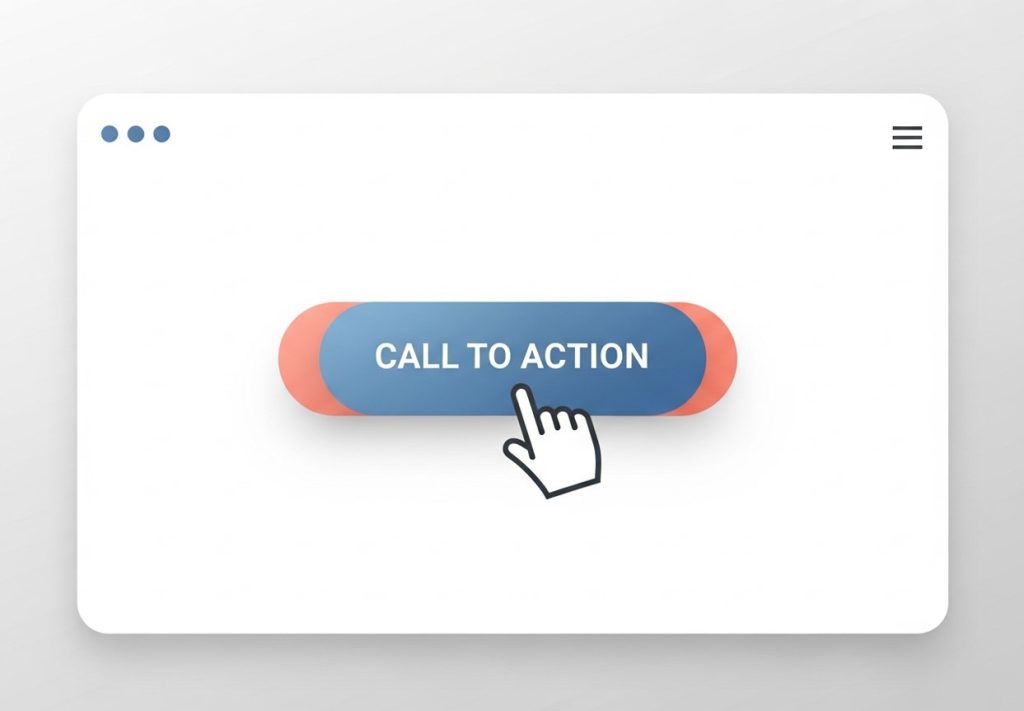
Call-to-action buttons are where intent turns into action, making them one of the most important conversion elements on your website. A weak or unclear CTA can undermine even the most compelling page content, while a strong one can dramatically increase engagement and click-through rates.
Effective CTAs use action-oriented language that clearly communicates what the user will get and what happens next. Instead of generic labels like “Submit” or “Learn More,” use specific, benefit-driven phrases such as “Start My Free Trial,” “Get Instant Access,” or “Download the Free Guide.” These phrases remove ambiguity and help users feel confident about clicking.
Visual design plays a crucial role in CTA performance. Buttons should stand out from the rest of the page using contrasting colors that draw attention without clashing with your overall design. Size matters as well—CTAs must be large enough to be immediately noticeable and easily clickable, especially on mobile devices. Placement is equally important; primary CTAs should appear above the fold and again at natural decision points throughout the page. Consistent testing of button color, wording, and placement allows you to identify what resonates most with your audience and continuously improve conversion performance.
Optimize Forms for Higher Completion Rates

Long, complicated forms are conversion killers. Every additional field you require increases the likelihood that visitors will abandon the process before completing it.
Reduce form fields to only the most essential information needed. If you’re collecting leads, you might only need name and email address initially. You can always gather additional information later in the relationship.
For longer forms that can’t be simplified, consider breaking them into multiple steps or using progress indicators to show visitors how much remains. Clearly explain why you need each piece of information and how it benefits the user.
Use Urgency and Scarcity Tactics Ethically
Creating a sense of urgency can motivate visitors to take immediate action rather than postponing their decision. However, these tactics must be genuine to maintain trust and credibility.
Limited-time offers work well when they’re authentic. If you’re running a genuine promotion or have a product with limited availability, communicate this clearly. Use countdown timers for flash sales or highlight when only a few items remain in stock.
Avoid false scarcity or fake urgency claims, as these can damage your reputation and potentially violate advertising regulations. Instead, focus on legitimate reasons why acting quickly benefits the customer, such as early-bird pricing or bonus features for the first 100 customers.
Leverage A/B Testing for Continuous Improvement

A/B testing allows you to compare different versions of your website elements to determine which performs better. Rather than guessing what might work, you can make data-driven decisions based on actual user behavior.
Start by testing one element at a time—headlines, CTA text, layouts, or form designs. Over time, consistent testing becomes the backbone of successful CRO optimization and conversion success.
Common elements worth testing include headlines, CTA button text and colors, page layouts, product descriptions, pricing displays, and form designs. Run tests long enough to gather statistically significant results before making permanent changes.
Personalize the User Experience
Personalization can dramatically improve conversion rates by showing visitors content that’s most relevant to their needs and interests. This approach makes users feel understood and valued, increasing their likelihood to convert.
Basic personalization might include showing different content based on traffic source, geographic location, or previous website behavior. For example, visitors from social media might see different messaging than those arriving from search engines.
More advanced personalization uses cookies and user accounts to remember preferences and browsing history. E-commerce sites often show related products based on previous purchases or items viewed. B2B companies might customize content based on company size or industry.
Mobile Optimization for Better Conversions
With mobile traffic often exceeding desktop visits, ensuring your website converts well on smartphones and tablets is essential. Mobile users have different behaviors and constraints that require specific optimization approaches.
Mobile-optimized sites load quickly and display properly on small screens. Text should be easily readable without zooming, and buttons should be large enough to tap accurately with fingers. Forms should be streamlined even further for mobile users, as typing on phones is more cumbersome.
Consider mobile-specific features such as click-to-call buttons for service businesses or one-touch checkout options for e-commerce sites. Test your website thoroughly on various devices and screen sizes to ensure a smooth experience across all platforms.
Retarget Visitors Who Didn’t Convert
Not every visitor will convert on their first visit to your website. Retargeting campaigns help bring these potential customers back by displaying targeted ads as they browse other websites or social media platforms.
Set up retargeting pixels to track visitors who viewed specific pages but didn’t complete desired actions. Create customized ad campaigns that address potential objections or offer incentives to return and convert.
Email retargeting works well for visitors who provided their contact information but didn’t complete a purchase. Send follow-up emails with additional information, customer testimonials, or limited-time offers to encourage completion of their original intent.
Start Converting More Visitors Today
Increasing your website’s conversion rate requires a systematic approach combining user experience optimization, persuasive design, and continuous testing. The strategies outlined in this guide provide a solid foundation for improvement, but remember that optimization is an ongoing process rather than a one-time task.
Begin by identifying your current conversion rate and selecting one or two strategies from this list to implement first. Focus on areas where you suspect the biggest obstacles exist—whether that’s slow page speed, confusing navigation, or weak calls-to-action.
Track your results carefully and be patient with the process. Meaningful conversion rate improvements often take several months of consistent testing and refinement. However, the long-term impact on your business revenue and growth makes this investment of time and effort worthwhile.
Frequently Asked Questions (FAQ)
What is a good website conversion rate?
Conversion rates vary by industry, audience, and business model. While e-commerce sites often average 2–3%, high-performing websites can achieve 5% or more. B2B services may see slightly lower averages due to longer sales cycles. The key is to track your own baseline and measure improvements over time.
How long does it take to see results from conversion optimization?
Conversion rate improvements rarely happen overnight. Most websites see measurable results after several weeks or months of testing and refinement. Consistency in implementing changes, tracking metrics, and running A/B tests is critical to long-term success.
Which website elements have the most impact on conversions?
Critical elements include headlines, calls-to-action, forms, checkout processes, trust signals, and page load speed. However, the most impactful changes are often those that remove friction from the visitor’s journey and address psychological barriers.
Is personalization necessary for all websites?
While not mandatory, personalization significantly improves engagement and conversions. Tailoring messaging based on browsing behavior, purchase history, or location creates a more relevant experience that makes visitors more likely to convert.
Can content marketing improve conversions?
Absolutely. Content educates, builds trust, and positions your brand as an authority. Interactive content, case studies, tutorials, and blog posts help users make informed decisions while guiding them toward your conversion goals.
How do I know which optimization strategies to prioritize?
Start by identifying the biggest drop-off points in your visitor journey using analytics. Focus on elements that directly impact revenue or lead generation first, such as the checkout process, forms, and call-to-action buttons. Then layer in strategies like personalization, retargeting, and content optimization.


